 Ironstone
To build websites for small businesses, gather the business's real facts first, write a first screen for its customers and keep to a few pages. Let AI build the first version from its public listing, check every fact with the owner, test it on a phone and change it in plain words. Then get approval and put it live. After that, you keep it right every month. This guide walks through each step with screens from our app and fictional businesses.
Key facts
- In Clutch's 2025 survey, 45% of small business websites were built by outside partners, more than by in-house teams or by owners themselves. 1
- In a 2025 survey of more than 1,000 people reported by CX Dive, 83% of US consumers had used a search engine to find a local business in the past month. 2
- Of the 56 businesses with a gap Lead finder showed partners between October 8 and November 17, 2026, 28 had no website it could find (our own accounts left out). 4
- Google's web.dev says a page's largest content should load within 2.5 seconds for a good user experience (Largest Contentful Paint). 6
What does it take to build websites for small businesses?
To build websites for small businesses, you need the business's real facts, a first screen built for its customers, a few pages that work on a phone, and someone who keeps them right every month. AI now writes the first version in minutes. The work that's left for a person is choosing what goes on the website and checking every bit of it.
Think about what the owner means by a website. It's the phone number, the hours, the services or the menu, where they are and a way to ask a question. It isn't design awards. A plumber wants calls. A bakery wants orders and visits to the counter. Every build decision below comes back to that.
This post covers the build only, step by step. For the whole sale, from the first search to a monthly client, read our guide on how to sell AI websites to local businesses. For the day after launch, our post on how to hand over a website to a client walks you through it.
Why do small businesses pay someone else to build their website?
Owners have no hours for it, and they don't know what their customers look for first, so the build is a job they hand to an outside partner. Customers search before they call or visit. A listing with wrong facts loses the visit. Three survey figures below show why it matters.
of small business websites were built by outside partners in Clutch's 2025 survey, more than by in-house teams or by owners themselves. The build is the part owners hand over. 1
of US consumers used a search engine to find a local business in the past month, in a 2025 survey of more than a thousand people. The website is what many of those searches land on. 2
of US consumers are unlikely to visit a business whose online listing has wrong information, in a 2025 local search study. A website you build with the wrong hours does the same damage. 3
Picture the owner of Oatmere Bakery, a fictional bakery, kneading dough before dawn and serving the counter until close. The website is the job that never gets an hour. That hour is what you sell. You build the website from what the bakery already published and show it to the owner finished.

Which gaps do small business websites have when you find them?
The gaps are no website at all, a site that won't open, a matching address someone else owns, no secure connection, an old year, a social page only, a booking page only and no phone layout. Lead finder, our business lookup tool, labels them. Lead finder showed 6 partners 56 local businesses with a gap an owner can see between October 8 and November 17, 2026 (our own accounts left out). 4
local businesses with a gap an owner can see were shown to partners by Lead finder between October 8 and November 17, 2026, our own accounts left out. Each gap tells you what the build has to fix first. 4
| The gap Lead finder found | Businesses, of the 56 | What the build fixes first |
|---|---|---|
| No website it could find | 28 4 | A full website from the listing: name, phone, hours and services on the first screen |
| A listing whose website and name-based web addresses did not open | 14 4 | A new website at an address that opens; ask who holds the old one |
| No website on the listing, and the web addresses matching the name belonged to someone else | 9 4 | Agree on a different web address with the owner before you build |
| A website without a secure connection | 7 4 | A secure address, so no browser warning greets the customer |
| A website whose newest year was 2021 or earlier | 6 4 | Today's hours, services and prices, each one confirmed by the owner |
| Only a social or directory page for a website | 6 4 | A website with the business's own posted photos, linking back to its social page |
| Only a booking or ordering service where a website should be | 6 of 56 4 | A website whose top button opens the booking or ordering service they use |
| A website with no mobile layout | 5 4 | A phone-first website with the call button and hours on the first screen |
One business can carry more than one gap, so the rows add up to more than 56. The biggest row is the build from the listing: 28 had no website it could find. That build has nothing to copy from an old website, so the listing's facts carry it. 4
Two rows change the build before it starts. When a listing's website and name-based web addresses don't open (14), or the matching addresses belong to someone else (9), never promise the business's name as the address. Agree on the web address with the owner first. 4
What does a small business website need on a phone?
On a phone, the first screen needs the business name, what it does and where, a call button, the hours and the one action a customer came for. In Pew Research Center's survey of January 30 to June 18, 2026, 91% of US adults owned a smartphone. So that small screen is where your build starts. 5
| Fictional business | First screen says | Top button | Pages to build | Leave out at first |
|---|---|---|---|---|
| Insley Plumbing, Kestrel Bay, WA | Plumbing repairs in Kestrel Bay, WA, and today's hours | Call now | Home, Services, Areas served, Contact | A blog and a team page |
| Oatmere Bakery | Today's bakes and the opening hours | See the menu | Home, Menu, Custom orders, Visit us | An online shop |
| Harbor Light Diner | Breakfast and lunch hours, and where to park | See the menu | Home, Menu, Hours and directions | An events calendar |
| Ridgeway Auto Repair | The repairs the shop does and its hours | Call the shop | Home, Repairs, Contact | A parts catalog |
Speed counts on a phone too. Google's web.dev says a page's largest content should load within 2.5 seconds for a good user experience (Largest Contentful Paint), and that a page should answer a tap or click within 200 milliseconds (Interaction to Next Paint). That is the speed bar step 6 checks every build against. 6
A small business website doesn't need moving banners, stock photos of strangers, invented reviews or pages the owner will never update. Every page you add is a page that can go out of date. An out-of-date page is the gap you were hired to fix.
How do you build a website for a small business in 9 steps?
The nine steps are: gather the facts, write the first screen, choose the pages, build with AI, check the facts, test on a phone, change in plain words, approve and go live, and keep it right. Every screen shows fictional businesses. Each step ends with a checklist and a tip.
1. What facts do you gather before you build?
Before you build, gather the business's real facts: the name, phone, address or area served, hours, services or menu, its own photos and its current website if it has one. Copy each one from what the business published. Never guess one. A website built from guesses shows wrong hours, and a customer who drives to a closed door doesn't come back.
At the middle of 25 checks between October 27 and November 17, 2026, Lead finder checked a business's website for partners in 336 milliseconds, about a third of a second (our own accounts left out). Lead finder searches a business type in a town and labels each business: No website found, Social listing only, Website won't open, Outdated website or Delivery page only. 4
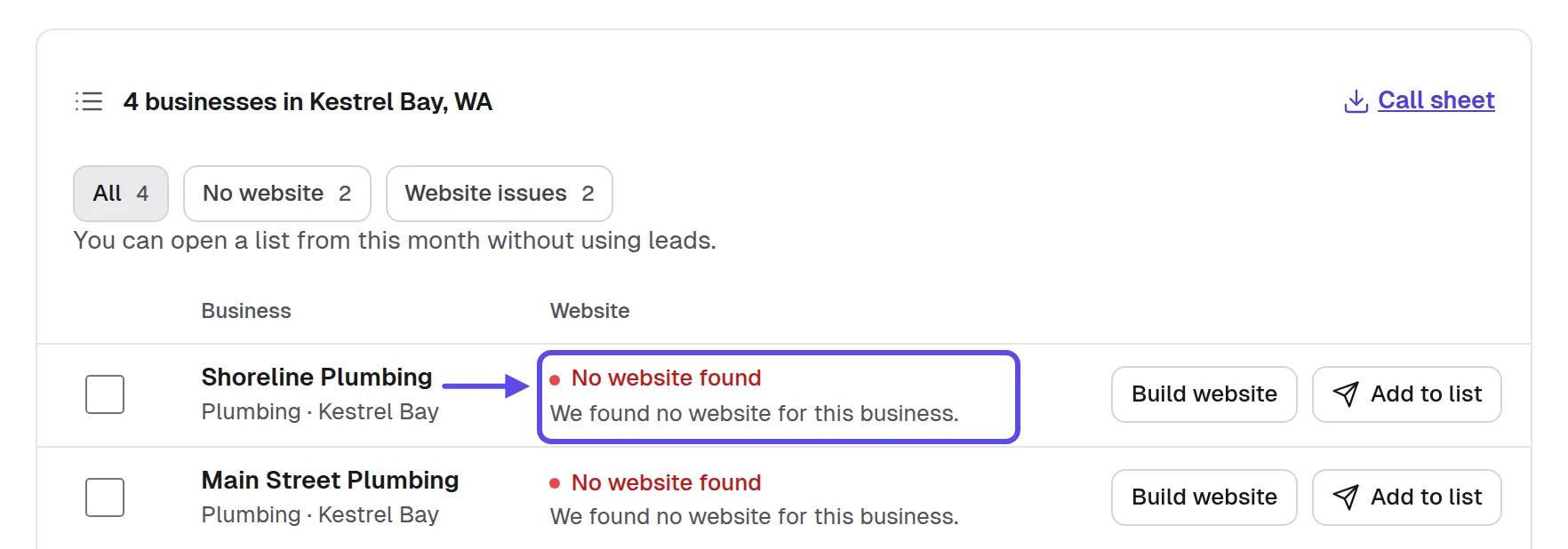
Here's the twist: the listing and the old website often disagree. When the hours on the map listing differ from the hours on the old website, neither goes on the new one until the owner confirms. Mark the conflict on your sheet. It becomes your first question to the owner in step 5.
To do it by hand, open the business's listing in Google Maps. Copy the name, phone, address, hours, services and website link into one row of a sheet in Google Sheets. Add a column for anything that conflicts and a column for the photos the business posted, with where each came from. One row per business keeps the whole build honest.
- The name, phone and address copied from the listing
- The hours copied, with the date you read them
- Every service or dish the business lists itself
- The business's own photos saved with where each came from
- Every conflict between the listing and the old website marked
You'll know it worked when you have one row per business, every cell is filled from something the business published, and each conflict is marked as a question for the owner.
Tip
Write the date beside the hours you copy. Hours change with the seasons, and the date tells you when to read them again.
2. What should the first screen show the business's customers?
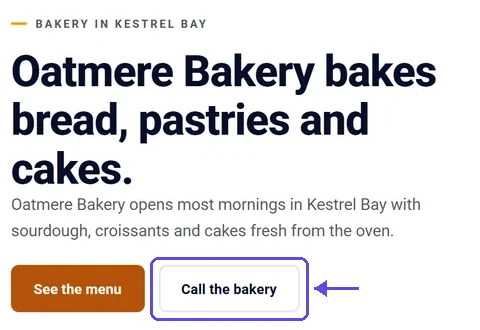
The first screen shows the business name, what it does and where, and the one action the customer came for, with the call button or menu button at the top. Build it for the customer the owner wants more of, not for the owner. A plumber's customer has a leak. A diner's customer wants the hours. Each one needs a different top button.
A customer opens the website on a phone with one question in mind. It's the reason they searched. The first screen answers it, or they go back to the search results and pick someone else. Write that one question down before you build. Then test every first screen you write against it.

The twist: the owner's favorite thing is rarely the customer's first question. The owner of Oatmere Bakery is proud of how long the bakery has been open. A customer wants today's hours and the menu. Put the story lower down and the hours at the top. The owner still gets their story, in the right place.
First screen, plumber
Insley Plumbing, plumbing repairs in Kestrel Bay, WA
[Services] for homes in Kestrel Bay, WA. Open [Hours].
Call [Phone number]
See our services
By hand, write the first screen in Google Docs as four lines before you build: the headline, one sentence, the top button and the second button. Read it on your phone at the size a customer sees. In our app, the build takes the name, hours and services from the listing, so you check these four lines against it.
- The business name and town on the first screen
- One sentence that says what the business does
- The call button or menu button at the top
- The hours visible on a phone without scrolling
- The owner's story and awards moved further down
You'll know it worked when you open the website on your own phone, as a customer would, and the first screen answers that customer's one question before you scroll even once.
Tip
Ask the owner which question customers ask over and over on the phone. That question belongs on the first screen.
3. Which pages does a small business website need?
A small business website needs a home page with the first screen, a services or menu page, and a contact page with the phone, hours, map and a form. Add a gallery or about page only when the owner has real material for it. Fewer pages, each one right, beat many pages that are half right. The table shows what goes on each.
| Page | What goes on it | Leave it out when |
|---|---|---|
| Home | The first screen, the main services or dishes, the hours and the call button | Never |
| Services or Menu | Each service or dish the business lists itself, with prices only where the business publishes them | Never |
| Contact and hours | Phone, address or area served, hours, and a contact form that reaches the Inbox | Never |
| Gallery | The owner's own photos of their work | The business has no photos of its own yet |
| About | Who runs the business, in the owner's own words | The owner hasn't told you their story |
| Areas served | The towns a trade drives to, from its listing | Customers come to the business, not the other way round |
Here's the part people miss: every page is a promise to keep it current. A menu page with last season's dishes hurts more than no menu page at all. Build only what the owner, or you each month, will keep current. If nobody will update a page, leave it out for now.
By hand, open the business's Google Business Profile. It shows the services it lists and the questions customers ask. Those are the pages customers expect to find. Write each one down beside the business's row on your sheet. When the build gives you more than you need, our post on how to make an AI website look like the business covers which sections to cut.
- A home page that carries the first screen
- A services or menu page from the business's own list
- A contact page with the phone, hours and a form
- A gallery only when the owner has real photos
- No page that nobody will keep current
You'll know it worked when you can name each page and the fact on your sheet that fills it, and not one page is there for show or to fill space.
Tip
Start with three or four pages. Adding a page later takes minutes; taking down a wrong one costs the owner's trust.
4. How do you build the first version with AI?
Start the build from the business's public listing and current website, confirm the details on the build form, choose the pages from step 3 and let AI write the first version in minutes. A finished website lets the owner judge something real instead of a description. It's hard for any owner to picture a website from a message that only describes it.
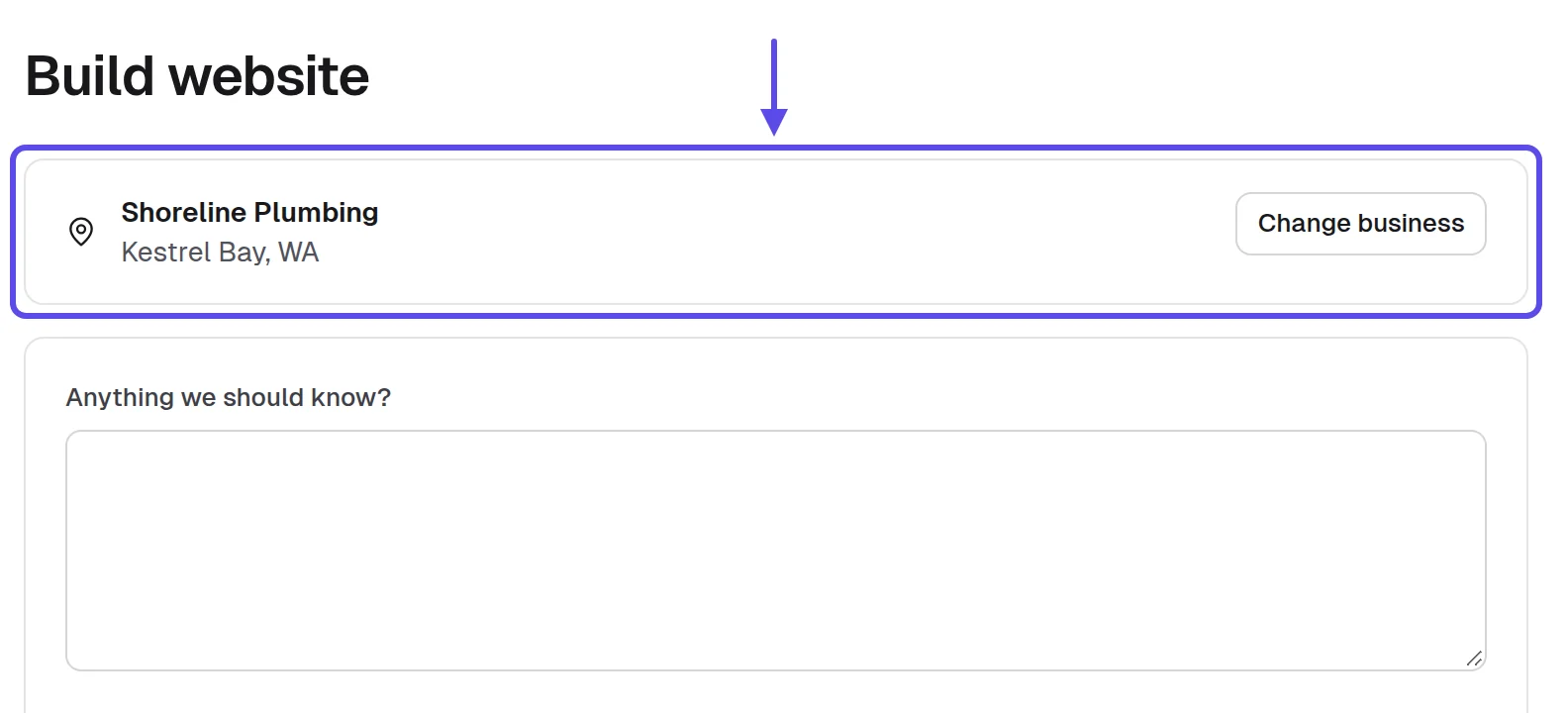
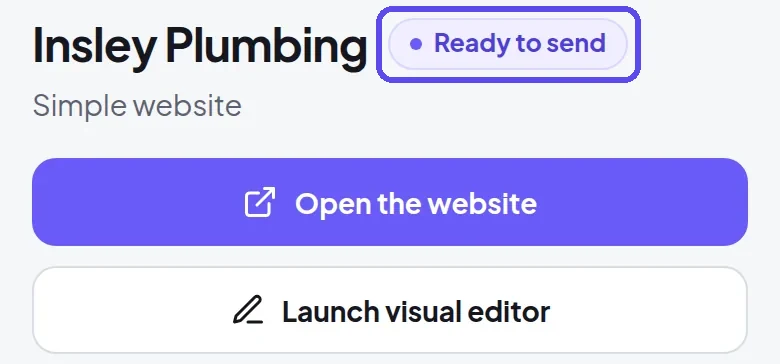
In our app, a build brings in the business's public listing and its current website, so the real hours, services and photos come with it. You confirm the business details, the pages and the photos on the build form. When the build is done, the website is marked Ready to send.
The twist: build from your fact sheet, not from your memory of the business. The conflicts you marked in step 1 stay off the website until the owner answers. A first version with one fact missing beats one with a wrong fact. The owner can fill a gap in a minute, but a wrong fact makes them doubt the rest.
By hand, whatever tool you build with, write each page's text in Google Docs from your sheet row first. That way the facts come from the business, not the tool. Our post on how to test an AI website builder lists the checks to run on a real business before you trust one.
- The build started from the business's public listing
- The business details confirmed on the build form
- Only the pages from your step 3 list chosen
- Conflicting facts held back until the owner confirms them
- The website marked Ready to send in the app
You'll know it worked when the website is marked Ready to send, every fact on it matches your sheet row, and nothing on it came from a guess, yours or the tool's.
Tip
Use only what the business published or told you. Never invent reviews, awards or years in business.
5. How do you check every fact before the owner sees it?
Before the owner sees anything, read each fact on the website against your sheet row and the listing, send the owner the few facts that conflict, and take off anything the business never said. One wrong hour or phone number costs the business the visit. The owner judges the whole website by its worst detail, so that detail has to be right.
By hand, paste the old website's address into the Wayback Machine to see when its hours, prices or services last changed. The Internet Archive's Wayback Machine passed one trillion preserved web pages in October 2025. An old saved copy tells you which facts are stale. Those are the facts to ask the owner about first. 7
The twist: ask the owner to confirm three facts, not to read the whole website. A short question often gets an answer the same day. A long one waits for a quiet evening that may not come. In our app, the build writes a first message in your name that you can send by email or text.
In the United States, the FTC's compliance guide to the CAN-SPAM Act says a commercial email must include your valid physical postal address and a clear way to opt out, and opt-out requests must be honored within 10 business days. Other countries have their own rules. 8
Facts check email
Subject: Three facts to check on [Business name]'s new website
Hi [Owner name],
I'm [Your full name] from [Your business name]. I built a website for [Business name] from its public listing, and you can see it here: [Website link]
Could you confirm three facts for me: your hours, [Hours], your phone number, [Phone number], and your services, [Services]?
This is an offer of a website: if you want it, I can put it live and look after it every month.
If you'd rather not hear from me, reply "no thanks" and I won't write again.
[Your full name], [Your business name], [your mailing address]
Asking for photos
Subject: Photos of your work for [Business name]'s website
Hi [Owner name],
The website for [Business name] uses photos from its listing. Would you send me three photos of your own work, taken on your phone?
This is an offer to put the website live and look after it every month.
Reply "no thanks" and this will be my last message.
[Your full name], [Your business name], [your mailing address]
- Every hour checked against the listing and your sheet
- The phone number dialed once from your own phone
- Nothing on the website the business never said itself
- Three conflicting facts sent to the owner to confirm
- The owner's corrections made before anyone else sees it
You'll know it worked when the owner confirms the facts, or corrects them and you've made the change, and no single fact on the website lacks a source on your sheet.
Tip
Fix what bothers you before the owner sees it. An owner who finds one wrong fact stops trusting the rest.
6. How do you make the website fast and clear on a phone?
You make the website fast and clear by keeping the first screen light and simple, then testing it on your own phone the way a customer would: watch how fast the first screen appears, and tap the call button and the menu. If anything loads slowly or is hard to tap, cut it back until it isn't. Picture a customer on the street, phone in hand, deciding whether to call or walk on. That's the person you're testing for, not yourself.

Use the bar from Google's web.dev: a page's largest content should load within 2.5 seconds, and a page should answer a tap or click within 200 milliseconds. A website that misses that bar loses the customer standing on the street. 6
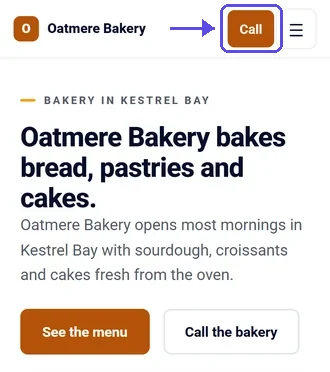
By hand, paste the website's address into PageSpeed Insights and read the result for mobile. Look for two numbers: how long the largest content takes to load, and how long the page takes to answer a tap. Hold each one against the bar above, then save the result in your sheet. Next, in Google Chrome, make the window as narrow as a phone and scroll every page, tapping every button as you go. Anything you need to zoom to read is too small, so fix it before the owner sees the website.
The twist: test away from your home connection, on a phone that isn't new. The owner's customers search from the parking lot and the bus stop, not from your desk. Large photos are the usual reason a first screen is slow. To fix it, swap the top photo for a smaller one, or ask for the change in plain words: "Please make the top photo smaller so the first screen loads faster." Then run the test again.
- The first screen appears quickly on your own phone
- The call button rings the business from a phone
- The menu or services page opens with one tap
- No text too small to read without zooming
- The PageSpeed Insights mobile result saved in your sheet
You'll know it worked when, on your own phone away from home, the first screen appears at once, the call button rings through to the business and every page reads without zooming.
Tip
Test on the oldest phone you can borrow. If it works there, it works for the owner's customers.
7. How do you change the website in plain words and keep what works?
Describe each change in one plain sentence, check what it will use before it runs, and bring back the earlier version when a change makes the website worse. Every change is saved as a version you can bring back, so trying a change costs nothing. That lets you test an idea on a real website instead of arguing about it.
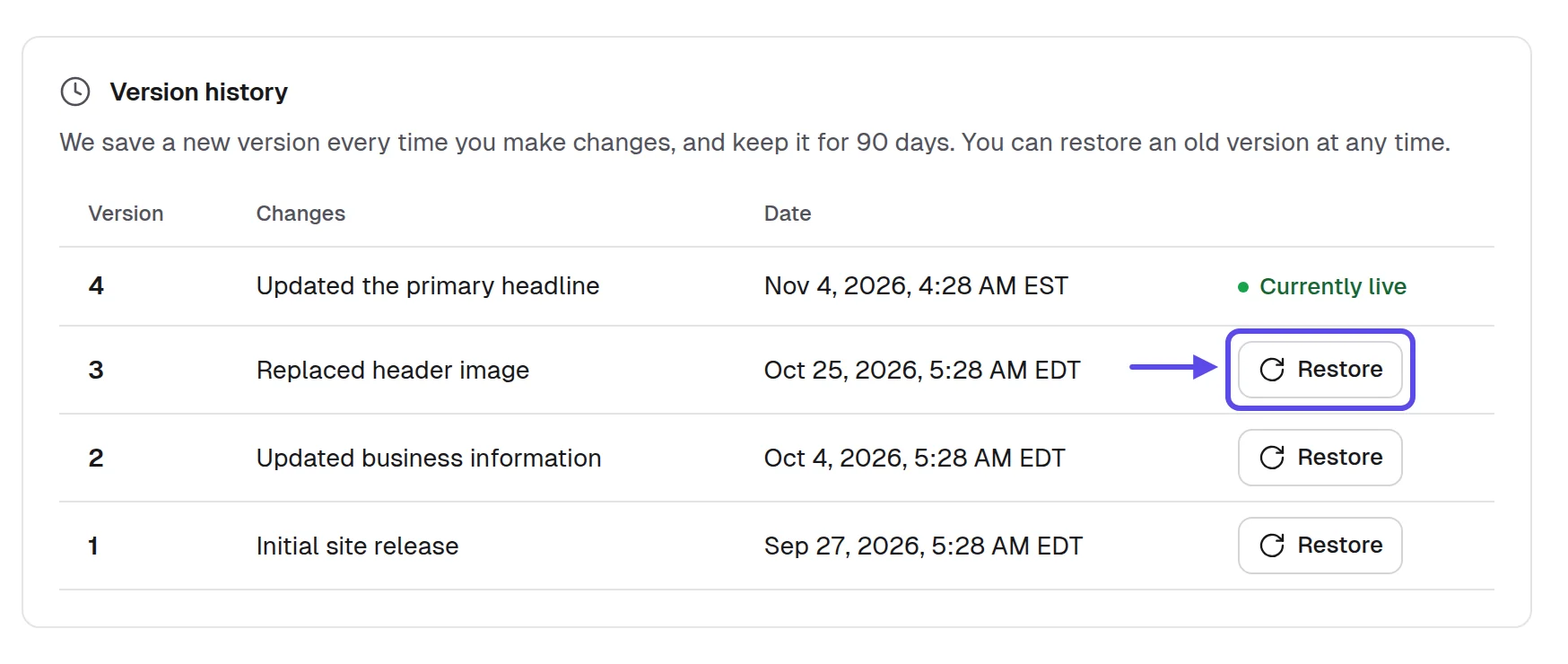
In our app, the website updates in a few minutes after you ask. Its History lists every version, marks the live one and shows Restore beside each older one. So if a change goes wrong, the older version is one tap away.
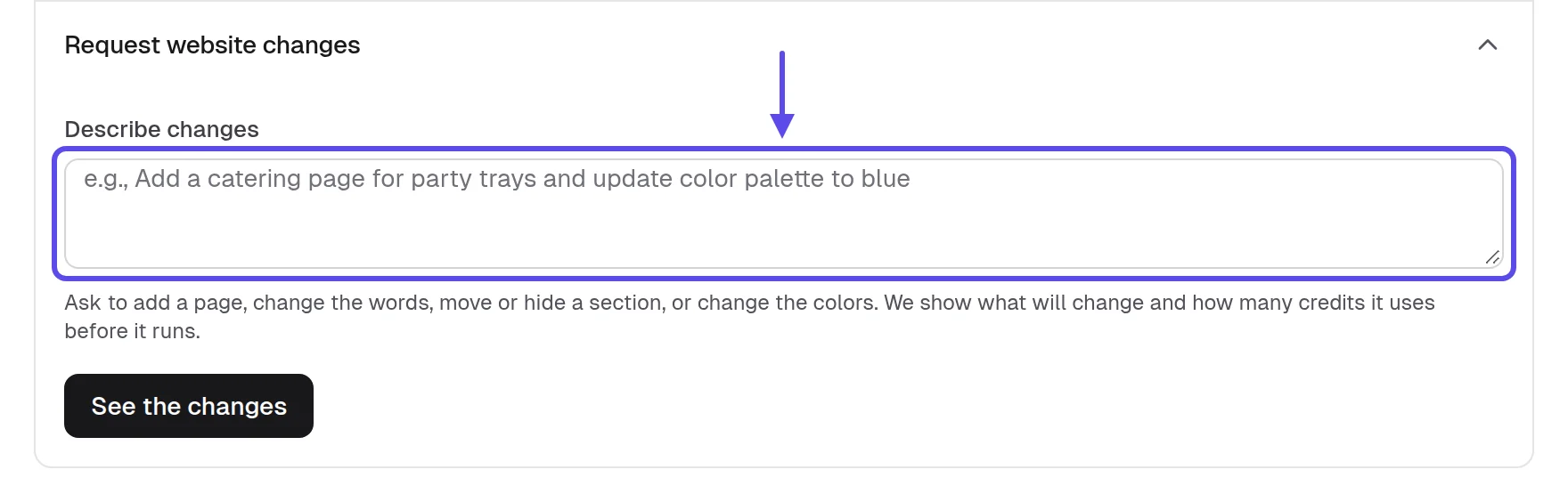
The twist: ask for one change per request. Three changes in one sentence make it hard to tell which one broke the first screen. Name the page, the thing and where it goes, as in the four requests below.
Changes in plain words
Move the Call now button above the services list and show today's hours under it.
Put the custom orders line under the menu heading and say orders need [Notice time] notice.
Show the breakfast hours first on the home page and move the parking note under them.
Add [Repair the owner named] to the repairs list and make Call the shop the top button.
By hand, keep a change log in Google Docs for each business: the date, the request word for word, what changed, and whether you kept it or restored the earlier version. When the owner asks what you changed, the log answers.
- One change per request, in one plain sentence
- What the change will use checked before it runs
- The result opened on a phone after each change
- The earlier version restored when a change looks worse
- Every change written down in your change log
You'll know it worked when every change you asked for shows on your phone, the live version is the one you meant, and your log matches the History line for line.
Tip
Before a big change, note which version is live. Restoring it takes one tap if the change goes wrong.
8. How do you get approval and put the website live?
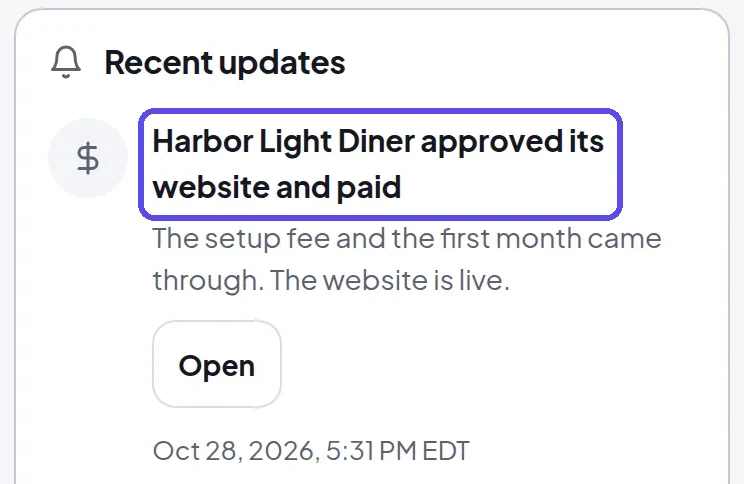
To get approval, send the owner an approval link; they pay on a secure card page in your name, which approves the exact website they saw, and it goes live in a few minutes. The page shows the monthly price and any setup fee you agreed. So the owner pays for what they've seen, at the price you talked about.
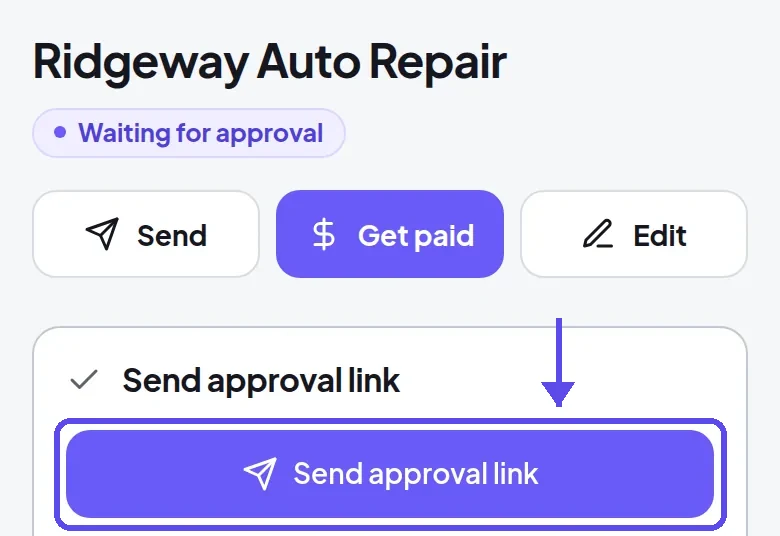
An approved website goes live at its address in a few minutes. An owner with a domain connects a domain in their own login, and the domain stays theirs. A website that's never approved goes offline 30 days after it was built. Tell the owner that date when you send the link, so the choice is clear.
The twist is the domain. ICANN says a registrar may deny a domain transfer within 60 days of the domain's first registration. Ask when the owner's domain was registered before you promise to move it, and check with their registrar. 9
By hand, if the owner can't meet, record a short screen video with Loom that scrolls their website on a phone and names their business in the first seconds. Send it with the approval link so they see what they're approving. They can watch it between customers and reply when they're ready.
The approval message
Thanks for your time. Here's the link to approve [Business name]'s website: [Approval link]. It shows the website and the monthly price we agreed, and once it's approved, the website goes live within minutes.
Connecting their domain
Your website is live at [Website link], and your own login shows one record to connect [Their domain].
You add that record at your domain provider, and the domain stays in your name.
I'm happy to stay on a short call while you add it.
- The approval link sent while the yes is fresh
- The monthly price on the page matches what you said
- The owner told when the website will be live
- The domain's registration date checked before promising the address
- The live address opened on your own phone
You'll know it worked when the notification says the owner approved and paid, and the live address opens on your phone with the same version they saw before they said yes.
Tip
Send the approval link while you're still with the owner if they're ready. A yes cools by the next day.
9. How do you keep the website right after it goes live?
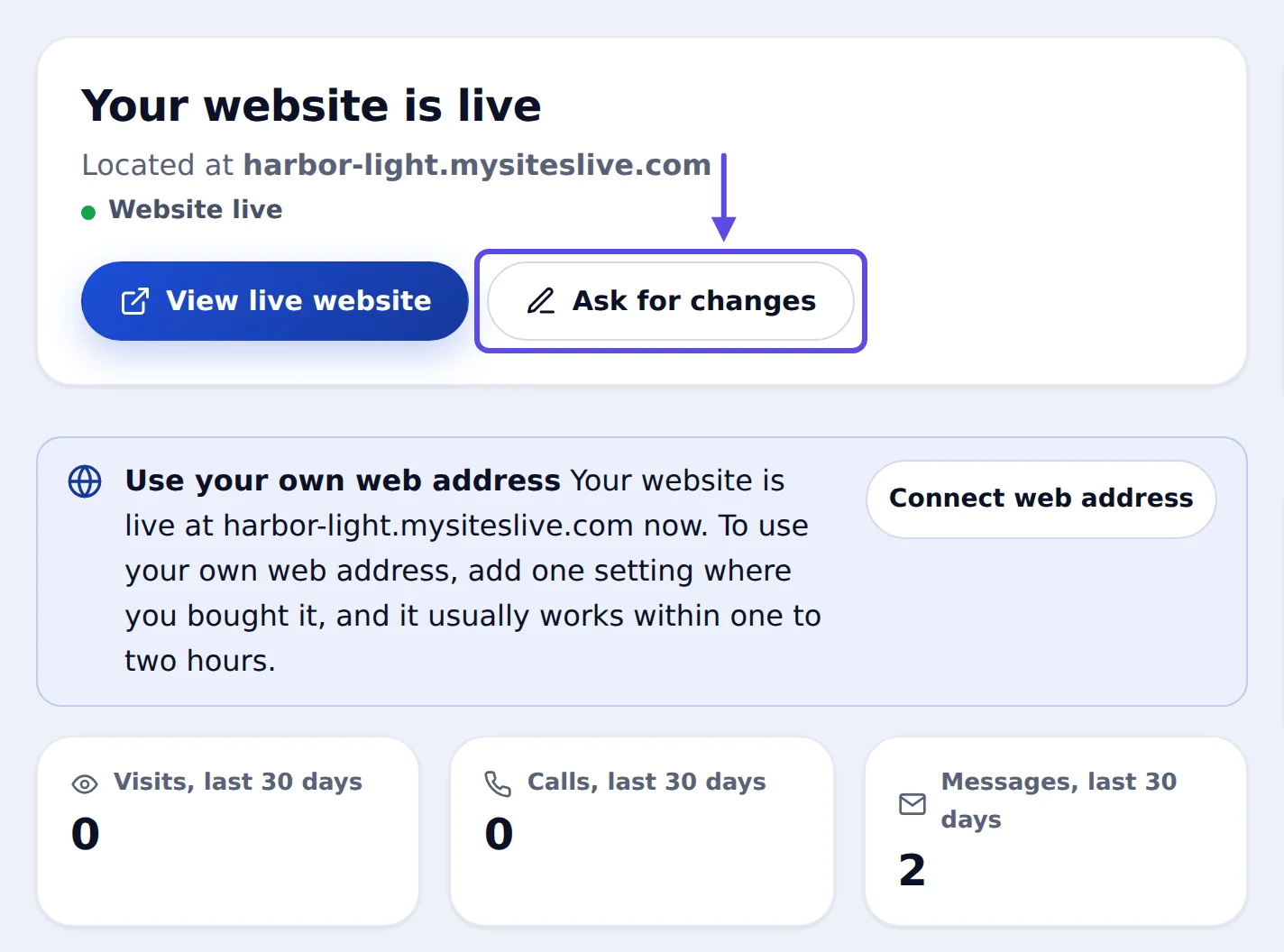
After launch, point the map listing to the new website, check that contact messages arrive, make the owner's changes the same day, and read the facts again when hours or seasons change. The owner's own login shows that the website is live, its visits, calls and messages, and Ask for changes. That gives the owner a reason to ask you instead of fixing things alone.
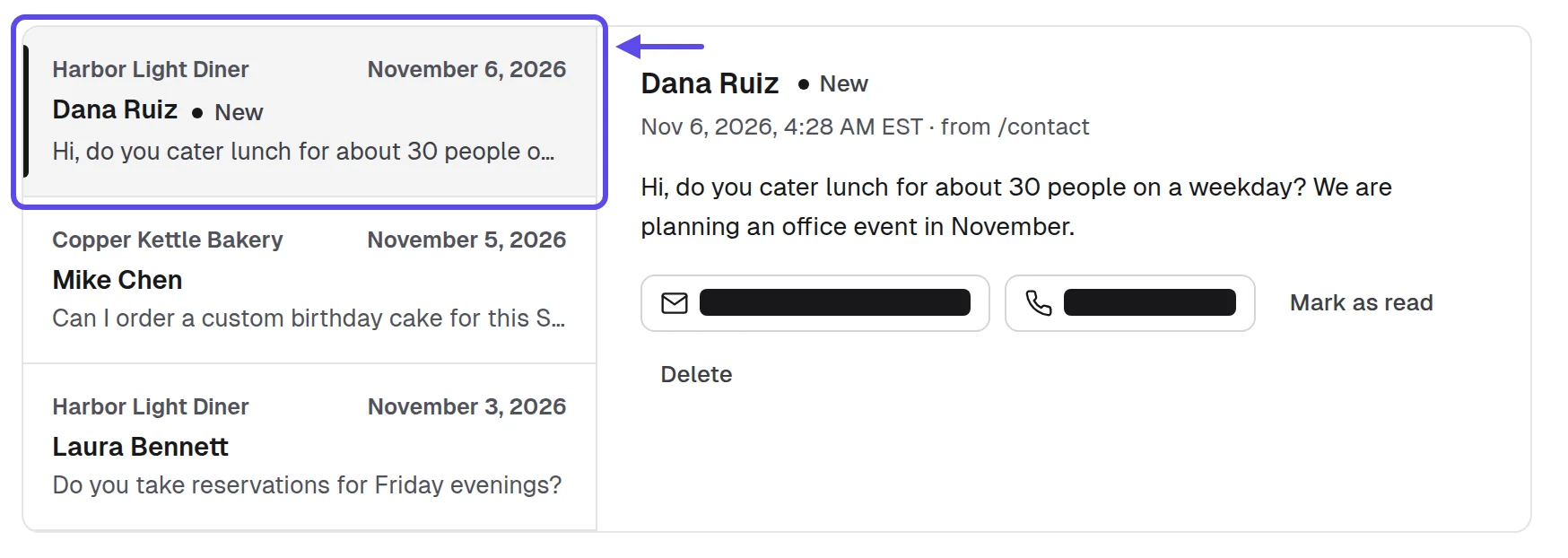
Messages from every client website's contact form arrive in the Inbox, so you read them all in one place. If a card payment fails, reminders go out in your name, and a website stays online for 14 days while a card is retried. That gives you and the owner time to sort it out.
By hand, help the owner put the new address in the Website field of their Google Business Profile. Then add the website to Google Search Console and check its indexing report later. Google says it can take a few weeks for it to notice a new site or changes to an existing one. So a quiet first few weeks in search is normal; check the report again after that. 10
Updating the map listing
[Business name]'s website is live at [Website link], but the map listing still points to [Old address or no website].
Could you open your business profile, edit the Website field and paste in the new address? Or add me to the profile and I'll do it for you.
Customers who find you on the map will then land on your new website.
- The listing's Website button points to the new address
- A test message sent through the contact form
- The owner's first change made the same day
- The website added to Google Search Console
- A reminder set before the owner's busy season
You'll know it worked when, the week after launch, the owner checks visits and calls on their phone, sees messages arriving, and asks you for a change instead of fixing it themselves.

Tip
Call a week after the website goes live and again after a month. The first change you make quickly can earn you the next referral.
Which mistakes slow down building websites for small businesses?
The mistakes are guessed facts, too many pages, stock photos, a first screen built for the owner, no phone test and a promised web address nobody checked. Each one costs a rebuild or the owner's trust. Here's the fix for each.
- Guessing hours or services: copy them from the listing and ask the owner.
- Building ten pages: start with home, services or menu, and contact.
- Stock photos of strangers: use the owner's photos or leave the gallery out.
- A first screen for the owner's pride: put the customer's question there instead.
- Checking on a laptop only: open every build on your own phone.
- Promising the business's name as the address: check who holds it first.
Many of these come from skipping step 1. A full fact sheet makes the build, the facts check and the owner's yes faster. When a build goes wrong, go back to the sheet before you change the website. The answer is usually there.
How do you know the websites you build are working?
You'll see it in calls and messages from the website, few owner corrections, a shorter build, change requests from owners, the listing pointing to the website, and the website showing in search. Track each in the owner's login, the Pipeline or your sheet. Don't set targets; watch which way each one moves.
- Calls and messages from the website: when few arrive, move the call button and hours higher.
- Owner corrections at the facts check: when there are many, gather facts from more places in step 1.
- Time from fact sheet to Ready to send: when it grows, cut pages and write the first screen first.
- Change requests from owners: when none come, show the owner Ask for changes in their login.
- The listing's Website button: when it still points to the old site, send the listing message again.
- The website in Google search: when it doesn't show after a few weeks, check it in Google Search Console. 10
Change one thing at a time and give it a week. If calls are low but visits are steady, the first screen is the problem. If visits are low, look at the listing and search instead. Note what you changed in your change log, so you can tell what worked.
Frequently asked questions
How long does it take to build a website for a small business?
With AI and the facts in one sheet, the first version of a small business website takes a few minutes. Checking facts with the owner and getting their photos takes the longest. For comparison, GoodFirms' survey of more than 100 web development companies put a small business website at $1,000–$7,000, set up in 1 to 12 weeks. 11
Do I need to know how to code to build websites for small businesses?
No. AI builds the website from the business's details, and you change things in plain words. The skill you need is choosing what goes on the website and checking every fact against what the business published. That part takes care and time, not code.
What pages should a small business website have?
A small business website needs a home page with a first screen for customers, a services or menu page, and a contact page with the phone, hours and a form. Those three cover what customers look for. Add a gallery or about page only when the owner gives you real photos or their own story.
Should I build the website before the business pays?
Yes, when the build takes minutes, not days, because the owner judges something finished and pays only after approving it. A website that's never approved goes offline 30 days after it was built, so nothing stays up that the owner didn't want.
Who owns the domain on a website you build for a business?
The business owns its domain and its content: its words, photos, logo, hours and prices. The owner connects the domain in their own login, and it stays in their name. ICANN says a registrar may deny a domain transfer within 60 days of the domain's first registration. 9
How fast should a small business website load?
Aim for the main content to show within 2.5 seconds and for taps to get a response within 200 milliseconds. Google's web.dev says a page's largest content should load within 2.5 seconds, and a page should answer a tap or click within 200 milliseconds. To test it, check each build in PageSpeed Insights and on your own phone, away from home on an older phone, since that's closer to how customers see it. 6
Can I use the photos from a business's listing on its website?
Use only photos the business published itself, and ask the owner to confirm them or send their own before the website goes live. Never use photos of strangers as the business's work. Never invent anything the photos don't show, either.
Sources
- Clutch, “83% of small businesses now have a website” (press release, August 21, 2025)
- CX Dive, “Customers back up their initial searches for local businesses with reviews” (July 11, 2025), on a survey of more than 1,000 US consumers
- Rio SEO, 2025 Local Search Consumer Behavior Study (US consumers; Business Wire, May 21, 2025)
- Ironstone, Lead finder’s searches and results for partners (our own accounts left out), October 8 to November 17, 2026, from our own records read November 20, 2026
- Pew Research Center, “Mobile Fact Sheet” (survey of US adults, January 30 to June 18, 2026; October 19, 2026)
- web.dev (Google), “Web Vitals”
- Internet Archive, “One Trillion Web Pages Archived: Internet Archive Celebrates a Civilization-Scale Milestone” (October 31, 2025)
- Federal Trade Commission, CAN-SPAM Act: A Compliance Guide for Business
- ICANN, “FAQs for Registrants: Transferring Your Domain Name”
- Google Search Central, “Get your website on Google”
- GoodFirms, website construction costs survey of more than 100 web development companies (press release, February 9, 2024)