 Ironstone
On this page
- What you're really selling
- Pick one business type and one area
- How to find local businesses that need a website
- Build the website before you ask for money
- Show it the way a customer would
- Email, with the rules in mind
- How to price it
- Approval, payment and going live
- Who owns the website and the domain
- After the sale
- Your first week
- Frequently asked questions
- Sources
What you're really selling
A plumber or a bakery owner never asks for an AI website. They want their phone to ring, customers to find their hours, and an online presence that looks as real as their storefront. That is why AI rarely belongs in your conversation with them.
AI changes how fast you work on your side. It turns days of design into a few minutes by pulling details from the business's own public pages. You can build the website first and ask second, so the owner looks at something finished instead of a promise.
Many business owners could build a basic page themselves, and plenty receive emails from strangers offering tech services. What they rarely get is a local person who has already made their site, shows it on a phone, and looks after it every month. That personal care is what they pay for.
Pick one business type and one area
Focusing on one business type lets you handle the same questions every time. You learn their usual hours, services, booking needs, and objections. By your fifth plumber, you know exactly what their customers look for online and what the owner will ask you.
Choose a field where customers search before calling or visiting, and where a phone number and location matter. You ought to be able to state in one sentence what the site does for them, like bringing in estimate requests for a roofer, menu views for a restaurant, or appointments for a salon. Stick to your town or the next one so you can drop by and speak as a local.
Narrowing your focus is how you start. Once you master the method with your first business type, you can reuse it for the next one.
How to find local businesses that need a website
Look for businesses with a parked domain, no website, or only a social profile or delivery listing. You can also spot candidates when their current site fails to load, shows a security warning, or is years old and broken on a mobile phone.
17%
Clutch found that 17 percent of small businesses have no website, and over a third of those without one believe a website is not relevant to their business. Those businesses are out there right now, so your conversation starts by showing how a site helps them, not by arguing. 1
Lead finder, our business lookup tool, searches your chosen business type across a town and labels each result as No website found, Social listing only, Website won't open, or Outdated website. The line under each label gives you something concrete to say to the owner.

Keep your list short. Ten businesses of one specific type give you plenty to work with for your first week. When you build a massive list, you end up skimming profiles instead of looking closely at each business. We cover exact search methods in our full guide to finding web design clients.
Build the website before you ask for money
Traditional designers say you should never start work without a deposit, which makes sense when a project takes weeks. When AI builds a site in a few minutes from public details, building first costs you very little time. The owner gets to tap through a real site instead of listening to a sales pitch.
Start from what's public
The build brings in public listings and existing web details to add real business hours, services, and local photos.
Check every fact
A pre-send check flags missing details like a main phone number or price. Use only facts the business published or shared, and never invent reviews, awards, or years in business.
Make it look like theirs
Add the owner's own photos if you have them, or let them upload images later using the link you send. Type any text changes in plain words to update the page in a few minutes.
Read it on a phone
Open the finished site on your phone like a customer would. Tap the call button, check the hours, and look over the top screen to fix any small issues before the owner sees them.
Read our full guide on building the website before the business pays to see the complete reasoning and how to answer owners' questions.
Show it the way a customer would
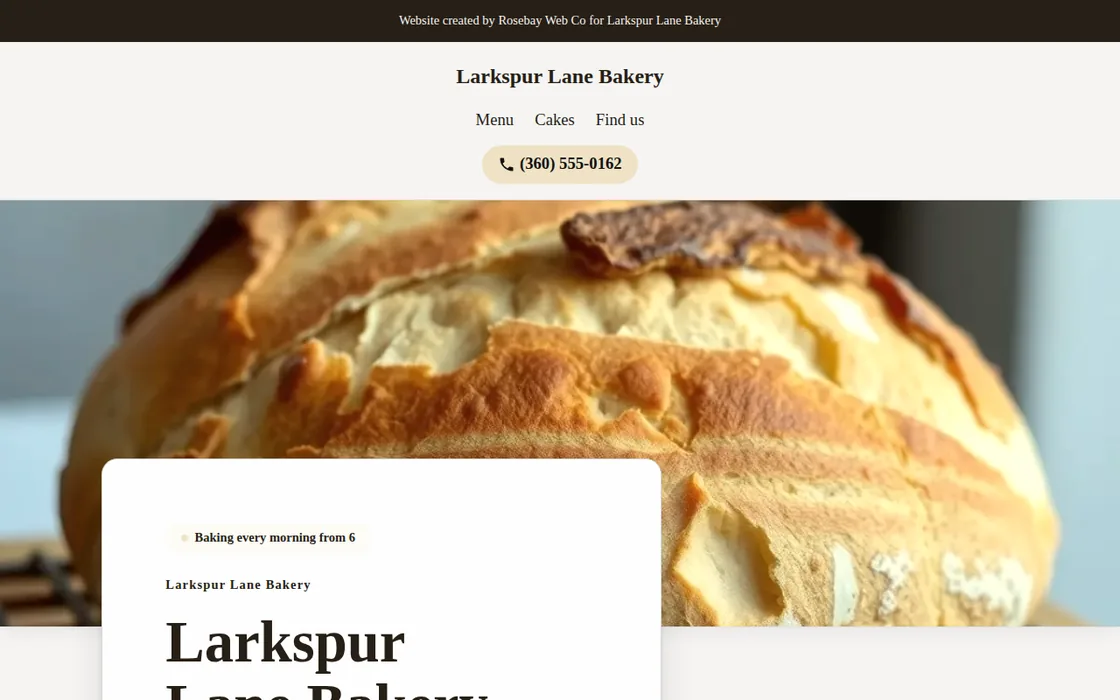
Meet the owner in person or hop on a quick call, and put the site on their phone screen if you can. Scroll down from the top together so they see how a customer experiences it. Most owners decide within seconds if it matches their business. Leave the link behind so they can review it with their team or partner later.
54%
In BrightLocal's 2026 survey of US consumers, 54 percent said they check a business's website after reading positive reviews. When you point this out, owners realize their hard-earned reviews are sending potential customers to a site that does not exist. 2
Start by pointing out one action a customer cannot take today, like checking holiday hours, tapping to call, or reading a menu online. Show that feature working on the new site. Keep your talk focused on their customers, not on design details or AI.
What to say first
I tried looking up your bakery online earlier to check when you open, but I couldn't find a proper site with your hours. I put together a website that shows your schedule clearly, and I can pull it up on your phone right now if you have a minute.
"It is already built, so there is nothing to pay to look at it. If you like how it works, we can have it live for your customers this week."
Follow up once a few days later by sending a short message with the site link. Business owners are busy, so one polite reminder feels normal while sending several becomes annoying.

Email, with the rules in mind
If you cannot visit a business in person, an email or direct message works well if you write it like a personal letter. Send one short message tailored to that business, include the link to their site, and make it easy for them to decline.
In the United States, the FTC's compliance guide to the CAN-SPAM Act says a commercial email must include your valid physical postal address (a street address, a registered post office box or a registered private mailbox) and a clear way to opt out, and opt-out requests must be honored within 10 business days. Other countries have their own laws to follow. 3
A business whose site credits a web designer goes to your call sheet instead of an email list. Every email includes a simple opt-out line, and automated follow-ups stop the moment an owner replies.
How to price it
Local business owners prefer a simple monthly price over a large upfront bill. That ongoing cost covers their site, hosting, and any text or photo updates they ask you to make over time. You can also add a setup fee if businesses in your area expect one. Your price, your profit.
Base your price on local market rates, what you handle each month, and what a single customer means to that business type. A new lead brings far more value to a roofing contractor than a single visit does to a café. Choose one clear monthly number the owner can easily remember and share.
Check our post on what to charge a small business for a website for details, or review our pricing page to see what you pay us.
Approval, payment and going live
When the owner agrees, send them a single approval link. This opens a secure payment page under your business name that shows your monthly rate and any setup fee. Paying serves as official approval of the exact website they reviewed, and the date, time, and version are logged.
The finished website goes live at its permanent web address in a few minutes. When an owner brings their own web address, they connect it using their client login with you. The system displays one simple DNS record for them to add at their address provider, so they keep full ownership of their address.
Who owns the website and the domain
The business retains complete ownership of its web domain at all times. Your client sees your brand and contact details, never ours. The site stays live for as long as they pay their monthly fee, and they can cancel the service whenever they choose.
Owners say yes much faster when they know they keep their domain and are not locked into a long contract.
After the sale
Owners can submit update requests directly through their client login when they need to adjust hours, post a holiday note, or add a photo. You make those changes using plain text instructions. If a card payment fails, automated billing reminders go out under your name, and the site stays online for 14 days while the card is retried.
Ask every happy client if they know other local business owners who need help. Business owners talk to one another, and a recommendation from the shop next door works better than cold outreach.
Your storefront is a web page displaying your business name, logo, and monthly packages where local companies can request a site directly. Add that link to your email signature and social profiles so clients can find you on their own.
Your first week
- Pick one business type in one local town.
- Find ten businesses with an obvious website gap.
- Build finished websites for three of them, and review each site on your phone.
- Show the finished sites in person or on a short call, and leave the link behind.
- Set your monthly price before you speak with your first owner.
Our post on web design as a side hustle helps you map out your first seven days. Some owners will say no, which is completely normal, so keep showing finished sites to the right local businesses.
Frequently asked questions
Do I need to know how to code to sell websites?
No. AI builds the site using details from the business, and you make updates using plain text. Your main role is finding the right businesses, showing them the finished site, and providing helpful service every month.
Is selling websites still worth it when owners can use website builders?
Yes, because many owners lack the time or design knowledge to build a site that attracts local customers. They prefer to pay for a completed site, ongoing maintenance, and a local person they can reach when they need help.
Should I build the website before the business pays?
Yes, building a website takes a few minutes instead of days. The business owner reviews the finished website on their own phone and only pays after they approve it. If they decide not to move forward, the site turns off automatically 30 days after you create it.
Is it legal to email local businesses about a website?
In the US, the CAN-SPAM Act permits commercial emails if you include a valid physical postal address and a clear opt-out method, and you must honor opt-out requests within 10 business days. Rules vary in other countries. 3
Who owns the website I sell to a business?
The business retains full ownership of its domain. The site displays your branding, stays live as long as the owner pays their monthly fee, and can be canceled at any time.
Should I target businesses with no website or an outdated one?
You can sell to both types of businesses. A business with no website needs your help the most. However, an owner who already pays for an old website already understands its value, so showing them a faster site on a mobile phone often leads to an easier conversation.
How much should I charge for a website?
Set a monthly price that covers website updates and web hosting, along with an optional setup fee. Read our detailed guide on website pricing for small businesses to pick the right rates.