 Ironstone
When a client stops paying
If a card payment fails, we send the business reminders under your name. The website stays online for 14 days.
What happens and when
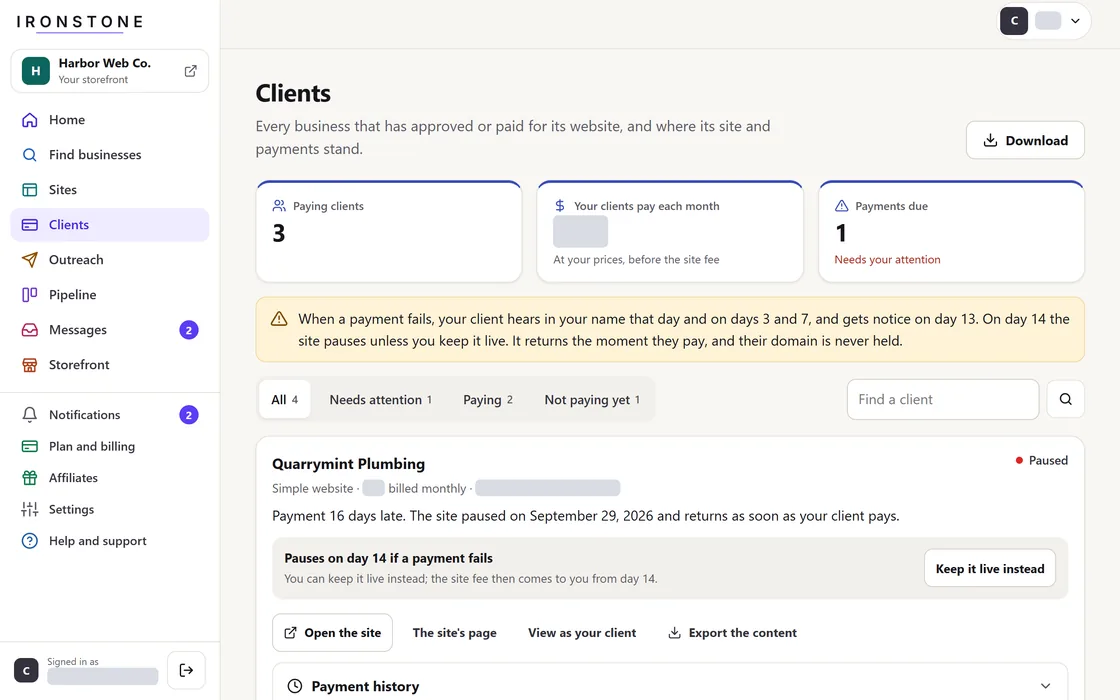
- Day 0: A message in your client's login asks them to update their card, with a link to do it.
- Days 3 and 7: Reminders appear in your client's login.
- Day 13: The business gets an email and a notice in its login that the website goes offline tomorrow.
- Day 14: the website goes offline, unless you turn on Keep this site live in your dashboard. A website you keep live stays online, and we bill its Hosting to you until the business pays.
- When the payment goes through, the website comes back right away, and you both get a confirmation.
Your dashboard lists every failed client payment from the last 30 days.
Keeping a site live
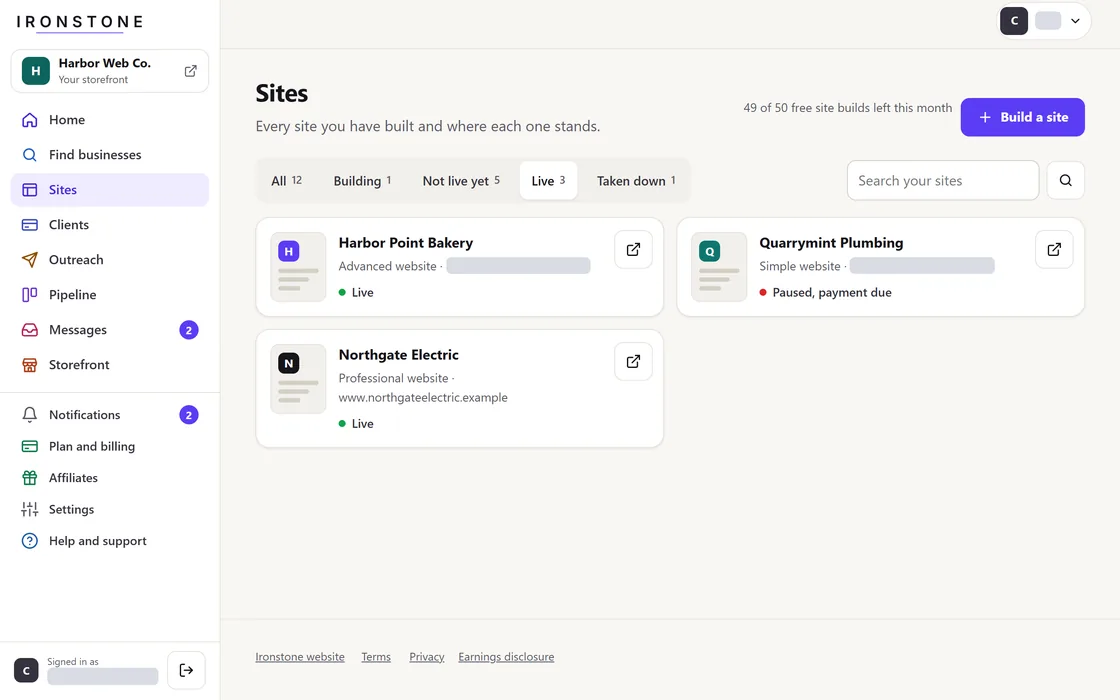
- Find the website under Clients in your partner dashboard.
- Select Keep this site live anytime before or during an overdue payment.
The business keeps full ownership of its domain. Your own plan never decides whether your clients' websites stay online.
Frequently asked questions
What does an offline website show?
A short notice replaces the website until the business pays what it owes.
How do clients update their payment method?
Each reminder links your client to their login, where they update their card in their billing settings.
Related guides
Screens and businesses shown are fictional.