 Ironstone
Messages, results, and monthly reports
Each client site includes contact forms, tracks traffic and call conversions, and delivers white-label monthly performance reports to client dashboards.
Messages
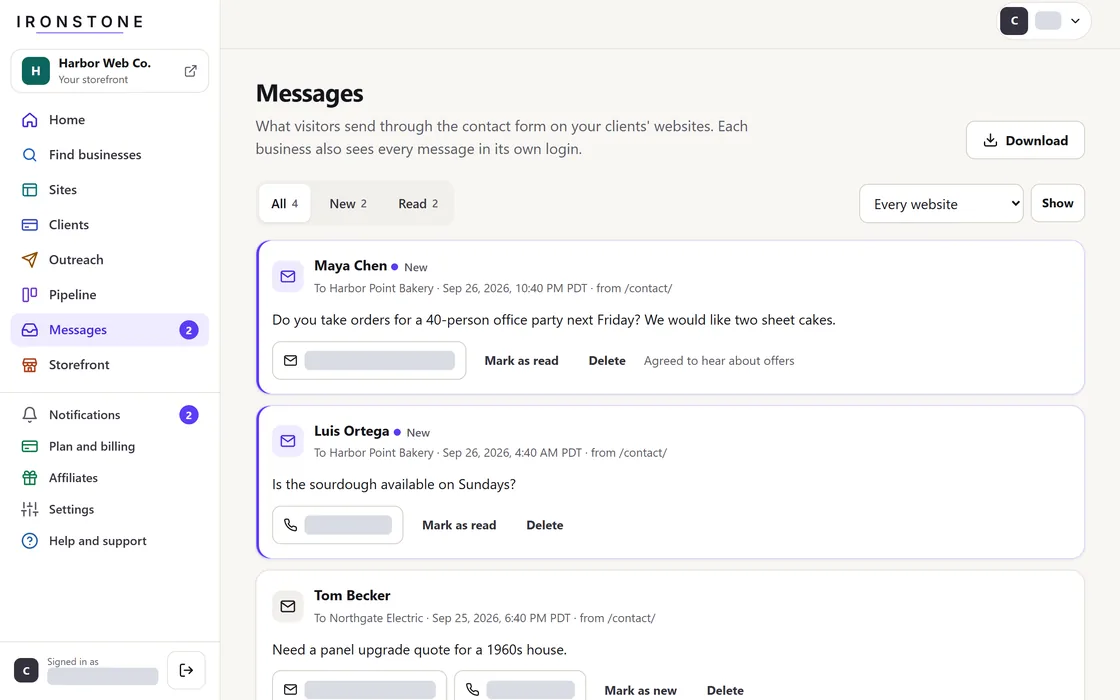
- Go to Inbox in your partner dashboard to read incoming messages from all client websites.
- Update message status to read, purge unwanted entries, or export the full log.
- To get an email for each message too, turn on Client website submission notifications in Settings.
Incoming messages sync automatically to the client portal and are emailed based on the client settings you choose.
Results
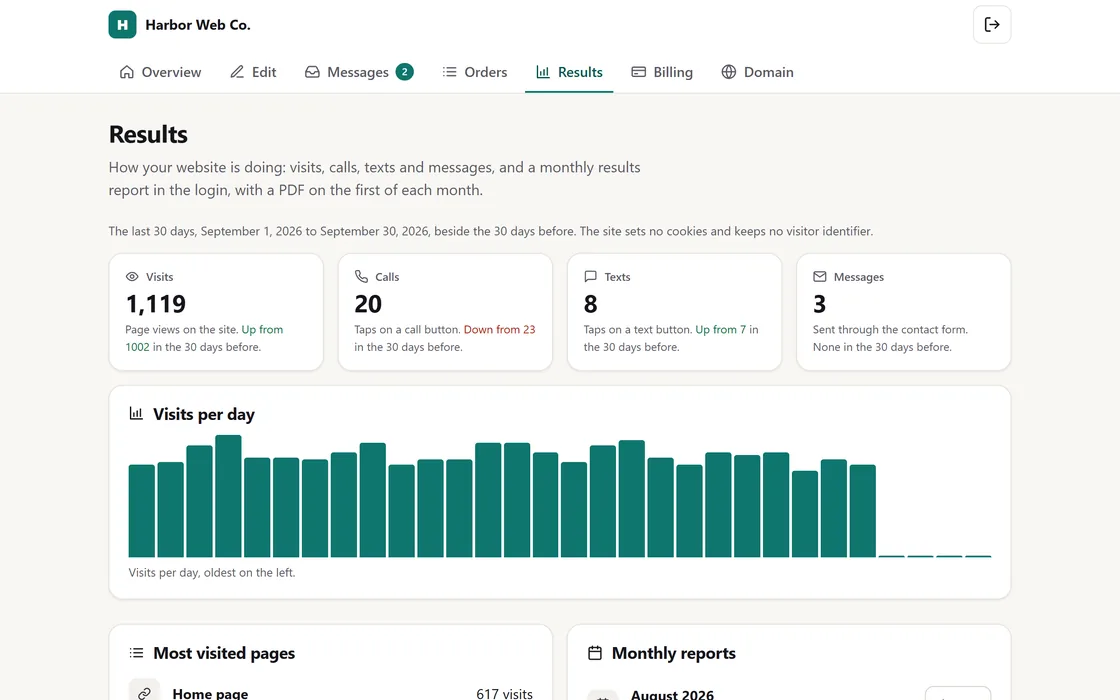
- Open a site's page to view its total visits, calls, texts, and messages over the last 30 days.
- Each metric is displayed alongside the preceding 30-day period, complete with daily bar charts.
Site visits are tracked cookielessly, while calls and texts represent taps on their respective action buttons.
Monthly report
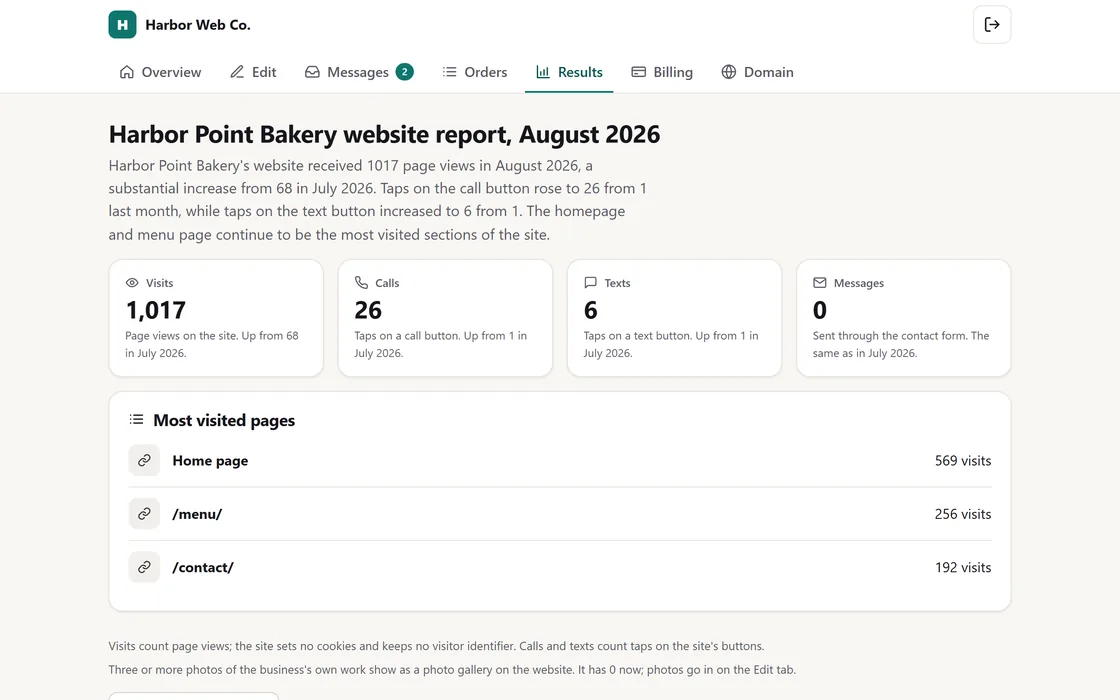
- On the first day of every month, a report appears in each active client portal under your brand name.
- The report details total visits, calls, texts, and messages while providing month-over-month comparisons.
- A short summary explains these underlying numbers in clear, plain language.
- On Growth and Agency plans, the report is also available as a fully branded PDF document.
You can view every report directly from the site details page in your partner dashboard, and clients can view it in their portal.
Frequently asked questions
A client reports that they are not receiving messages.
Review the Messages log in your partner dashboard. All site-submitted messages appear there, and by email too if the client turns that on.
Can my clients see these results?
Yes. Clients can view all their messages and website results inside their client portal.
Related guides
Screens and businesses shown are fictional.