 Ironstone
One way to make money online using websites that you can start this week is a monthly website service for local businesses. You find businesses whose website is missing or out of date. AI builds each one a finished website, and you show it to the owner. When the owner says yes, they approve and pay you every month at your price. The money repeats because you look after the website, not because of one sale. This guide compares the ways, then walks you through nine steps with screens from our app.
Key facts
- By Ironstone's own records, 48 of 54 Lead finder searches that partners ran between October 8 and November 6, 2026 returned at least one local business (our own accounts left out). 4
- In the third quarter of 2026, 17.9 percent of US retail sales were e-commerce sales ($347.3 billion, seasonally adjusted), according to the Census Bureau. 5
- The median annual wage for US web developers was $92,650 in May 2025, according to the Bureau of Labor Statistics. 6
- People reported $750.6 million in losses to business and job opportunity scams in 2024, up nearly $250 million from 2023, according to the FTC's Consumer Sentinel data. 7
What does it mean to make money online using websites?
You make money with websites in three ways: you sell something on a website you own, you sell website designs to strangers, or you build and look after websites for businesses that pay you. This post is about the third. It's a monthly website service for local businesses, because the customer, the need and the payment are clear from the first conversation.
A bakery or a plumber has no time to build a website and often gets offers from strangers. What they rarely get is someone local who builds their website, shows it to them on a phone and looks after it every month. That care is what they pay for monthly. Our main guide on how to sell AI websites to local businesses covers the sale. This post follows the money.

The US Census Bureau counted 29.8 million US businesses with no paid employees in 2022, in its 2022 Nonemployer Statistics. It counted 8.3 million with paid employees in its 2022 County Business Patterns. A business with no employees has no one but the owner to build and update a website. That owner is the customer this service is for. 1
Why do local businesses pay for websites?
Customers look a local business up before they call or visit, and missing or wrong details send them to another business. That's why an owner pays for a website: it brings the call. Three figures follow: Rio SEO on wrong listings, CX Dive on how people find local businesses, and a count from Lead finder, our business lookup tool.
Rio SEO's 2025 Local Search Consumer Behavior Study (Business Wire, May 21, 2025) found that 53% of consumers are unlikely to visit a business with incorrect listings. When a business's details are wrong online, it loses the visit, and a looked-after website is what prevents that. 8
In a 2025 survey of more than 1,000 US consumers reported by CX Dive (July 11, 2025), 83% of consumers used a search engine for local business discovery in the past month. Customers search first, so a business with no website, or a wrong one, gets missed. 9
Of the 56 local businesses with a gap that Lead finder showed 6 partners between October 8 and November 17, 2026 (our own accounts left out), 28 had no website it could find. Those are the owners who pay for a website first. 4
For you, this means the owner isn't buying design. They're buying customers who can find the hours and press call. A monthly price is easier to agree to when it's tied to the phone ringing. The payments repeat because the website keeps needing care: new hours, a holiday notice, a new photo, a new service.
Which ways of making money with websites suit a beginner?
A monthly website service for local businesses suits a beginner who wants a paying customer soon. The customer is down the street, and the payment repeats. The table also covers one-time builds, your own content website with ads, and selling website templates, with who pays and when.
| Way to make money | What you sell | Who pays you | When the money comes | What it asks of you |
|---|---|---|---|---|
| A monthly website service for local businesses | A finished website and its care every month | The owner of a local business you can visit | Every month the client keeps paying, paid out weekly on Fridays or monthly on a day you choose | Finding businesses, showing each its website, making the changes owners ask for |
| One-time website builds | A website, handed over and finished | A business, once | Once per build, then you look for the next client | A new sale before every new payment |
| Your own content website with ads | Space on your pages to advertisers | Advertisers, through an ad network | Only after enough visitors arrive, which takes time | Writing and publishing for a long stretch before any money comes |
| Selling website templates | A design other people fill in themselves | Strangers who find your template | Per sale, to people you never meet | Designing well and being found among many other templates |
This post follows the first row for three reasons. The money repeats, the customer is local and you can visit, and AI made the build take minutes, so you can build before you ask. The other ways can work too. But they ask you to wait for visitors or for strangers to find you. The steps below follow the first row from start to payout.
Which rules apply to email, licenses and a business name?
In the US, commercial email follows the CAN-SPAM Act, licenses and permits depend on what you do and where, and a business name that isn't your own may need registering as a DBA. That's what the FTC and the SBA say. It isn't legal advice, and where to check comes next.
- In the United States, the FTC's compliance guide to the CAN-SPAM Act says a commercial email must include your valid physical postal address and a clear way to opt out, and opt-out requests must be honored within 10 business days. 2
- the SBA's guide to licenses and permits says the requirements and fees vary with your business activities, your location and the government's rules. 3
- the SBA's guide to licenses and permits says a business name that isn't your own may need registering as a DBA (a trade name or assumed name) with the state, county or city. 3
Here's where to check. For licenses and permits, read the SBA's guide to licenses and permits. For a DBA or trade name, read the SBA's guide to registering a business. For someone near you who can answer for your location, try the SBA's local assistance. Other countries have their own rules.
How do you make money online using websites in 9 steps?
You pick a business type, find businesses with a gap, build and show each one a finished website, set a monthly price, get approved and paid, then look after every client. Each step shows our app's screens, with fictional businesses. Doing this around a job? Our web design side hustle guide plans the hours.
1. Which business type and town will you sell to?
Pick one business type in your own town or the next one. The same type means the same questions about hours, services, booking or a menu. It also means the same objections and the same pages. By the fifth plumber, you know what plumbers' customers look for. You stop starting from zero. Every conversation teaches you the next one, so the first payment comes sooner.
Choose a type where customers search before they call or visit. The business should list a phone number and a place or an area it serves. You should be able to say in one sentence what a website does for it: a roofer gets estimate requests, a restaurant shows its menu and hours, a salon takes bookings. Stay close enough to visit, so local is true when you say it.
Before you choose, search three types with your town in Google Maps. Count how many of the first twenty listings have no Website button. Pick the type with the highest count, even if it isn't the one you'd have guessed. Write the count down. It's your first measure of the market.
- Customers look up this type before they call or visit
- Listings show a phone number and opening hours
- One sentence says what a website brings this type
- Several of the first twenty listings show no website
- You could walk into a handful in an afternoon
You'll know it worked when you can name your type and town in one sentence. You also have a written count of listings with no Website button, a number to beat next month.
Tip
Stay with one type until you have a paying client. The second type reuses every message, page and answer you wrote for the first.
2. How do you find businesses with a gap an owner can see?
Search Google Maps for a type of business in a town, open each listing, and look for gaps an owner sees: no website, only a social page or delivery page, a website that won't open, or one that's out of date. The owner sees these the moment you point at them on a phone. A gap the owner sees is a reason to pay. A gap only you can see isn't. Your list should hold only the first kind.
Lead finder, our business lookup tool, labels each business it finds in a town: No website found, Social listing only, Website won't open, Outdated website or Delivery page only. Each comes with a line for the owner. Between October 8 and November 17, 2026, it showed 6 partners 56 local businesses with a gap (our own searches left out): 28 no website found, 16 an outdated website, 6 only a social or directory page, 6 only a booking or ordering service. 4
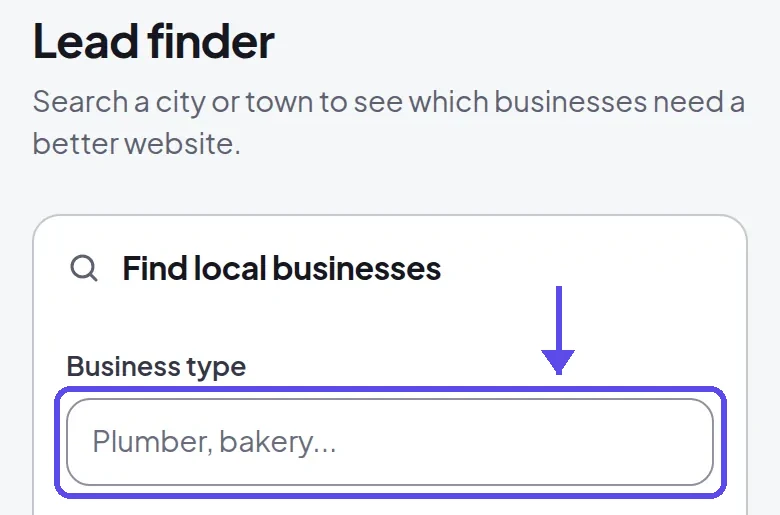
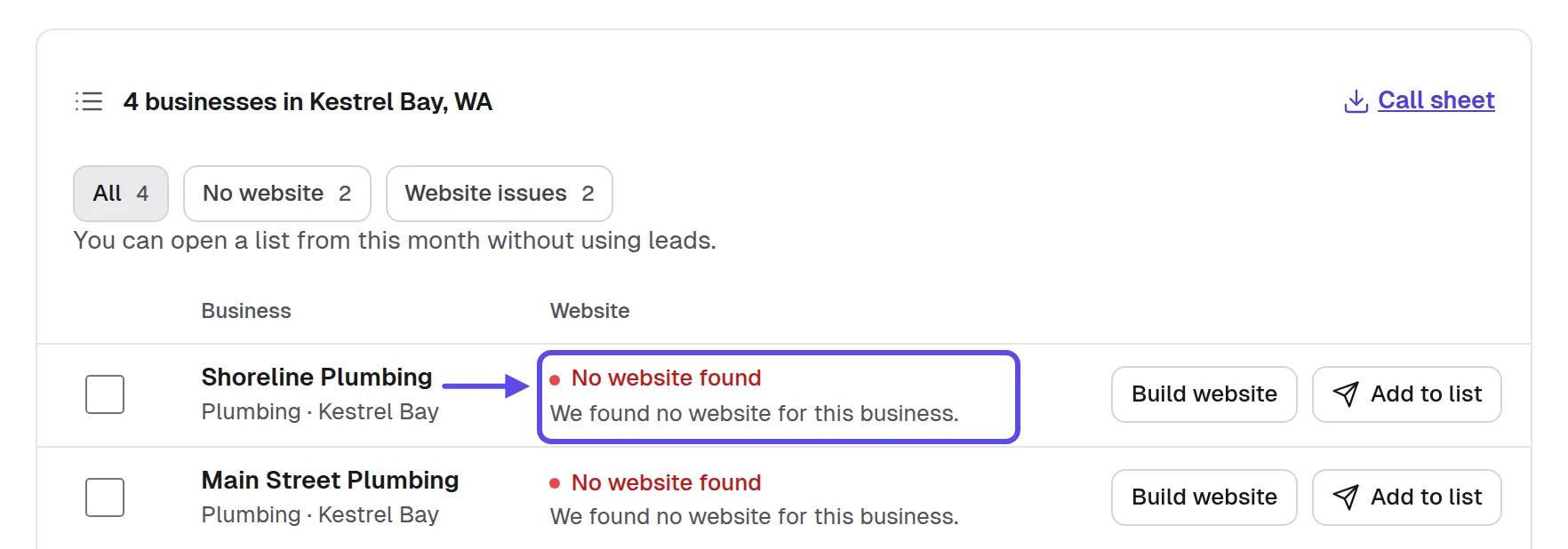
Without our app, sit down with a laptop and search "[type] near [town]" in Google Maps. Open each listing. No Website button, or a link to a social page only, is a gap. Type the name, phone, address and the gap you found into a sheet in Google Sheets, one row per business. Ten rows are a week of work. Small, steady lists beat one huge one.

An owner with an outdated website isn't a weaker lead than one with none. They already paid for a website once, so they believe in having one. A better version on their own phone can be the shorter conversation. Keep both kinds on your list, and note which is which.
- The listing shows no Website button
- The website link opens a social page only
- The link goes to a delivery page only
- The site won't open or shows a warning
- The site is old and hard to use on phones
You'll know it worked when you have ten businesses of one type on your list. Each one has the gap you'd point to, written down in its own row, ready for the next step.
Tip
Open each business on your own phone before you add it. If you can't find the hours or the call button in ten seconds, neither can their customers.
3. How do you check a business is worth your time?
Check that the business is open and taking customers, that the owner decides, and that no one else looks after its website. Signs that it's active include recent reviews, current opening hours and someone who answers the phone. Every hour you spend on a business that can't pay is an hour you don't spend on one that can. Check before you build.
Skip chains and franchises, because head office decides. Skip a website that credits a web designer in its footer, too. Someone already looks after it and gets paid for it. The business that looks busiest online isn't always the one that will pay you. Your time is better spent on an owner who can say yes on the spot.
Paste an old site's address into the Wayback Machine to see how long it has looked the same. Then run it through PageSpeed Insights to see how it does on a phone. A site that hasn't changed in years and scores poorly on a phone gives you something concrete to show the owner. It's not an opinion. It's a fact they can see.
In our app, each business you keep goes on the Pipeline at New. That way you can see at a glance who's checked and who's waiting. The line under its Lead finder label becomes your first sentence to the owner.
- Reviews from the last few months
- Opening hours that look current
- A phone number someone answers
- Not a chain or a franchise
- No web designer credited in the footer
You'll know it worked when your list is shorter. Every business left on it is open, run by its owner and has a gap the owner can see. That's a list worth your time.
Tip
A short call at a quiet hour tells you more than any search. You learn whether the business is open and who decides.
4. How do you build a finished website before anyone pays?
Let AI build it from the business's own listing and current website, then check it before you contact the owner. Designers are told never to build before payment. That's right when a site takes days. When it takes minutes, the owner judges something finished instead of a pitch. You're not asking them to imagine anything. The money conversation then starts from a yes or a no.
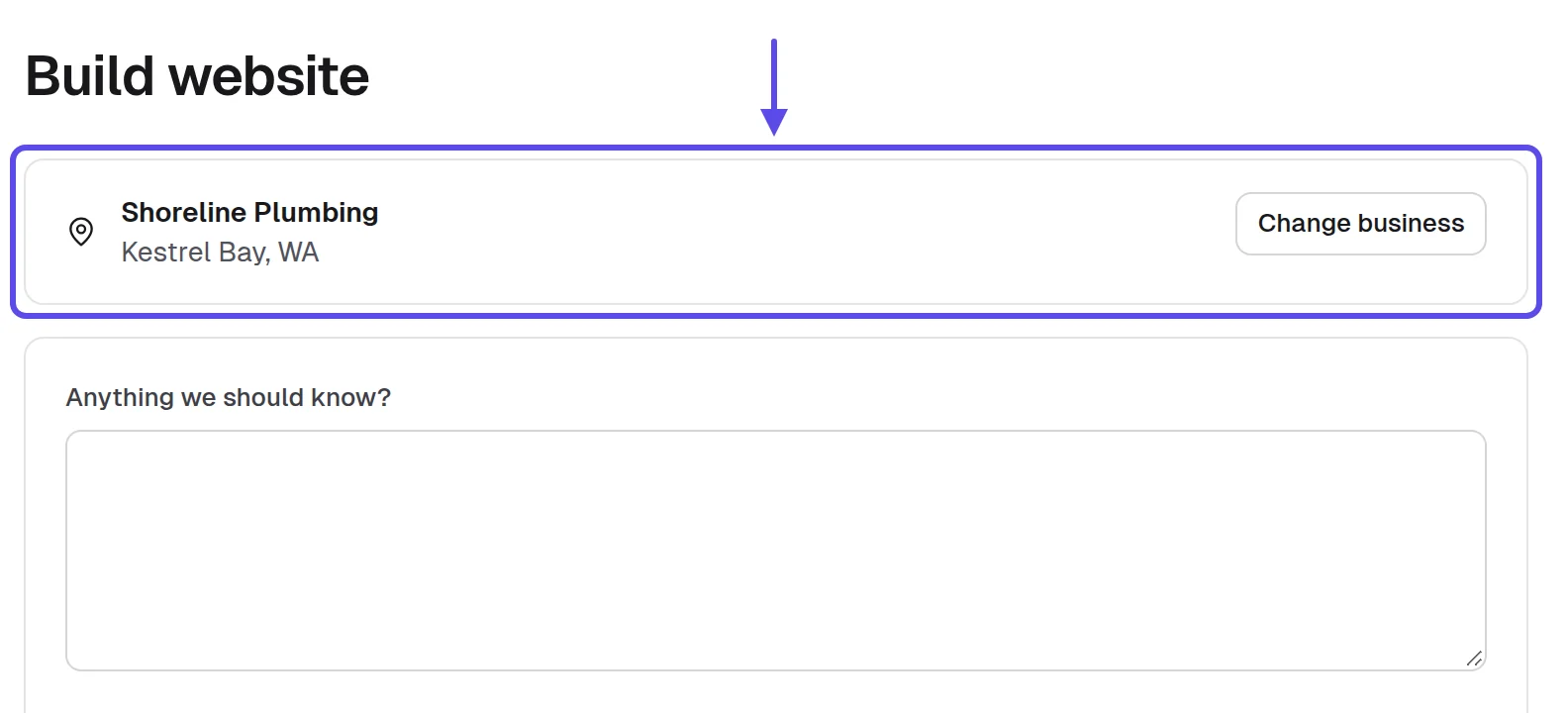
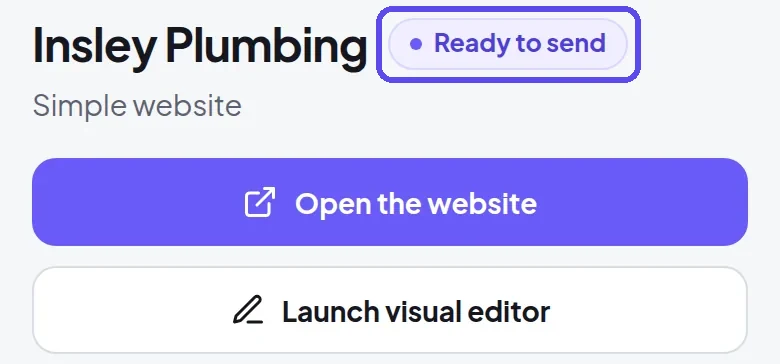
In our app, a build brings in the business's public listing and its current website, so you get real hours, services and photos. When it's done, the website is marked Ready to send. On our live service, we ran 18 builds between October 21 and November 3, 2026. Of those, 16 finished in under three minutes, and the slowest took about nine and a half.
Build for the customer the owner wants more of, not for the owner. A plumber wants emergency calls, so the call button belongs at the top. A bakery wants orders before a holiday, so the menu and the order line come first. The owner pays for the website that brings those customers.
Before any build, copy the business's name, phone, address, hours and services from its listing into one page in Google Docs. That page is your fact sheet. Every line on the website must match it. It also shows you what the business never published, and you leave that out. Keep it open while you check.
- Name, phone and address match the listing
- Opening hours match what the business published
- Only services the business really offers
- The call button works from a phone
- No review, award or year made up
You'll know it worked when the website is marked Ready to send. On your own phone, you can call the business and find its hours in ten seconds. If you can't, fix it before anyone sees it.
Tip
Build three or four businesses in one sitting. Checking them side by side shows you which one to visit first.
5. How do you make the website look like the business?
Use the owner's own photos and words, put what their customers look for first, and fix every detail that looks generic. An owner decides in seconds whether it looks like their business. They know their own shop better than anyone. If the page feels like a stranger's, they won't see themselves in it. A website that could belong to anyone gets a polite no, and no payment.
In our app, you ask for any change in plain words, like "move the hours to the top" or "add a catering page." The website updates in a few minutes. Every change is saved as a version you can bring back, so trying something costs nothing. That makes it safe to try two ideas and keep the better one. If the owner prefers the old look, you restore it.
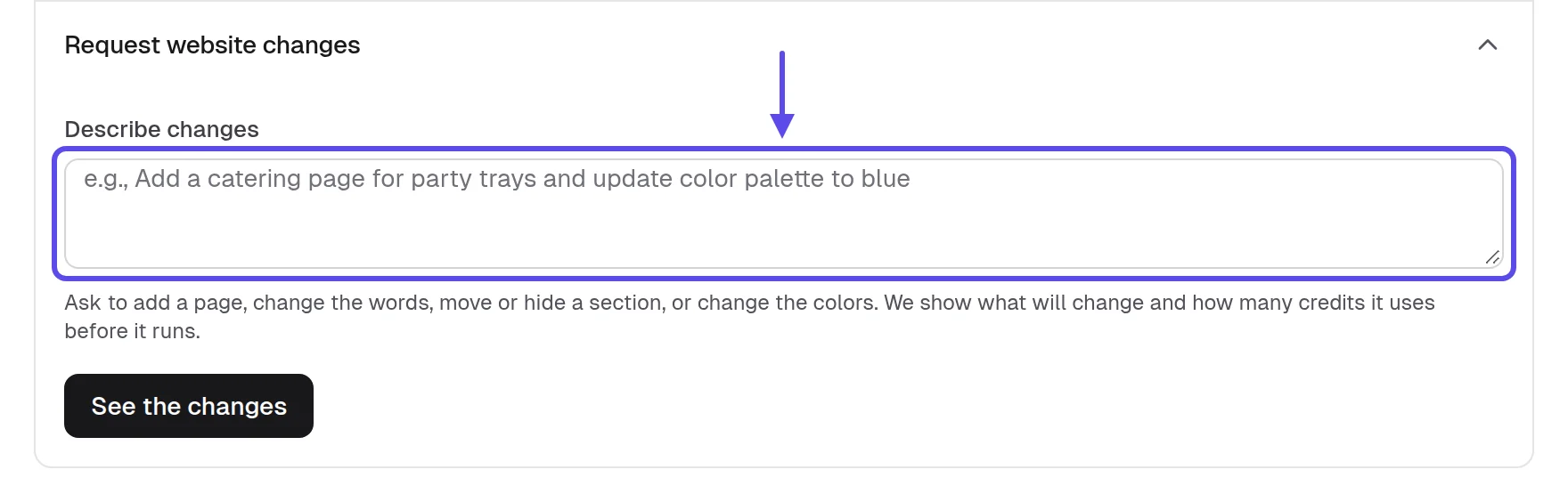
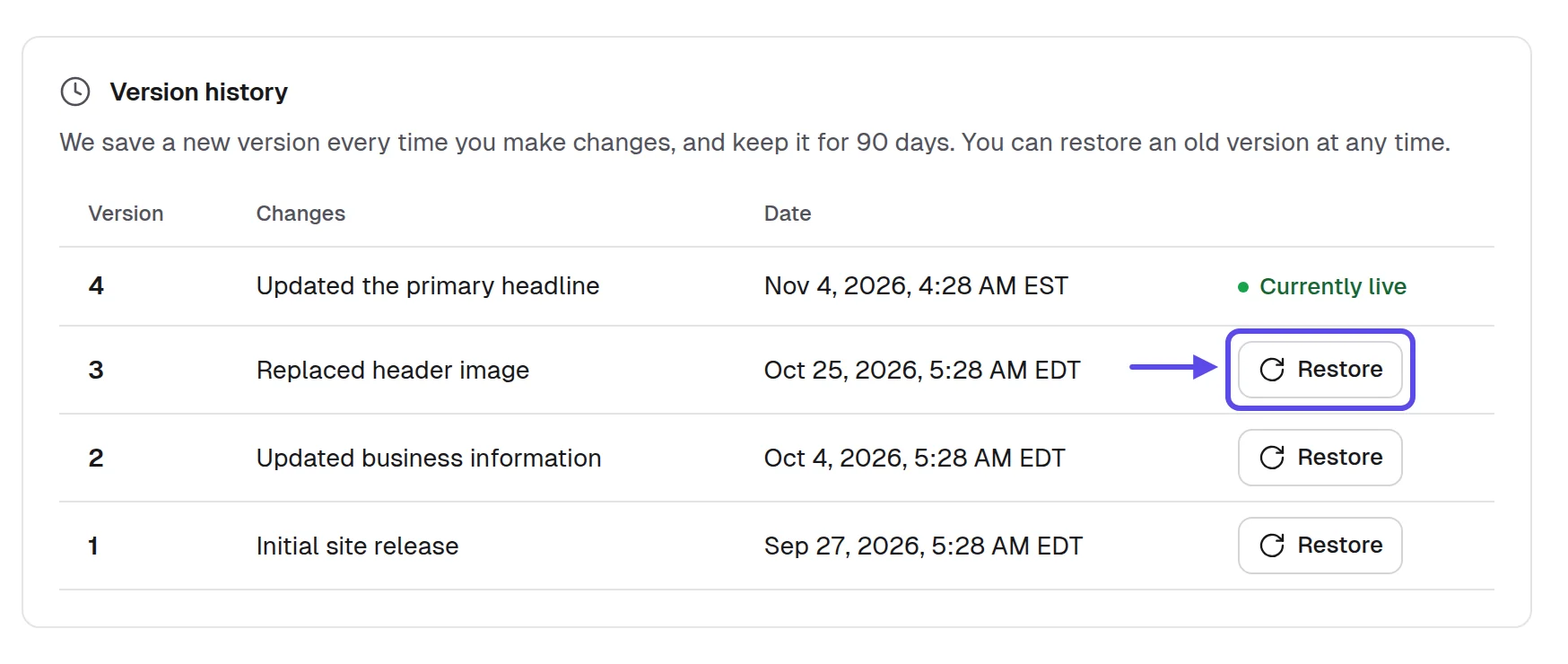
Open the website on your phone next to the business's listing and read them line by line. Write down every word the owner uses on the listing or in reviews they answered: the name of a dish, a street, a service. Make sure the website uses the same words. Customers recognize the business by its own words.
Cut a section before you add one. A page with the call button, the hours, the services and one real photo looks more like a local business than a long page of general claims. Less on the page means less for the owner to doubt.
- Every fact matches your fact sheet
- The photos are the owner's or clearly suitable
- The first screen says what they do and where
- The owner's own words appear on the page
- No section that could belong to any business
You'll know it worked when someone who knows the business would name it from the first screen. They wouldn't need to read the name at the top. That's the test an owner runs without thinking.
Tip
Fix what bothers you before the owner sees it. An owner judges the whole website by its worst detail.
6. How do you show or send the website to the owner?
Show it in person on a phone if you can, and send it in a short personal message if you can't. No money moves until the owner has seen the website. A website the owner never opened is a website nobody pays for. So this step is where the work turns into a sale, or doesn't. Give it your full attention.
Visit at a quiet hour and ask to show it on the owner's own phone. Scroll from the top the way a customer would. Open with what a customer can't do today, like find the hours, call from the phone or see the menu, and show it working. Talk about their customers, not design and not AI. Leave the link so they can look again with their staff or partner.

When you can't visit, our app writes a first message in your name. You can send it by email or text, or print a flyer. Every email carries an opt-out line, and follow-ups stop when the business replies. You mark how you reached out, so the Pipeline stays true.
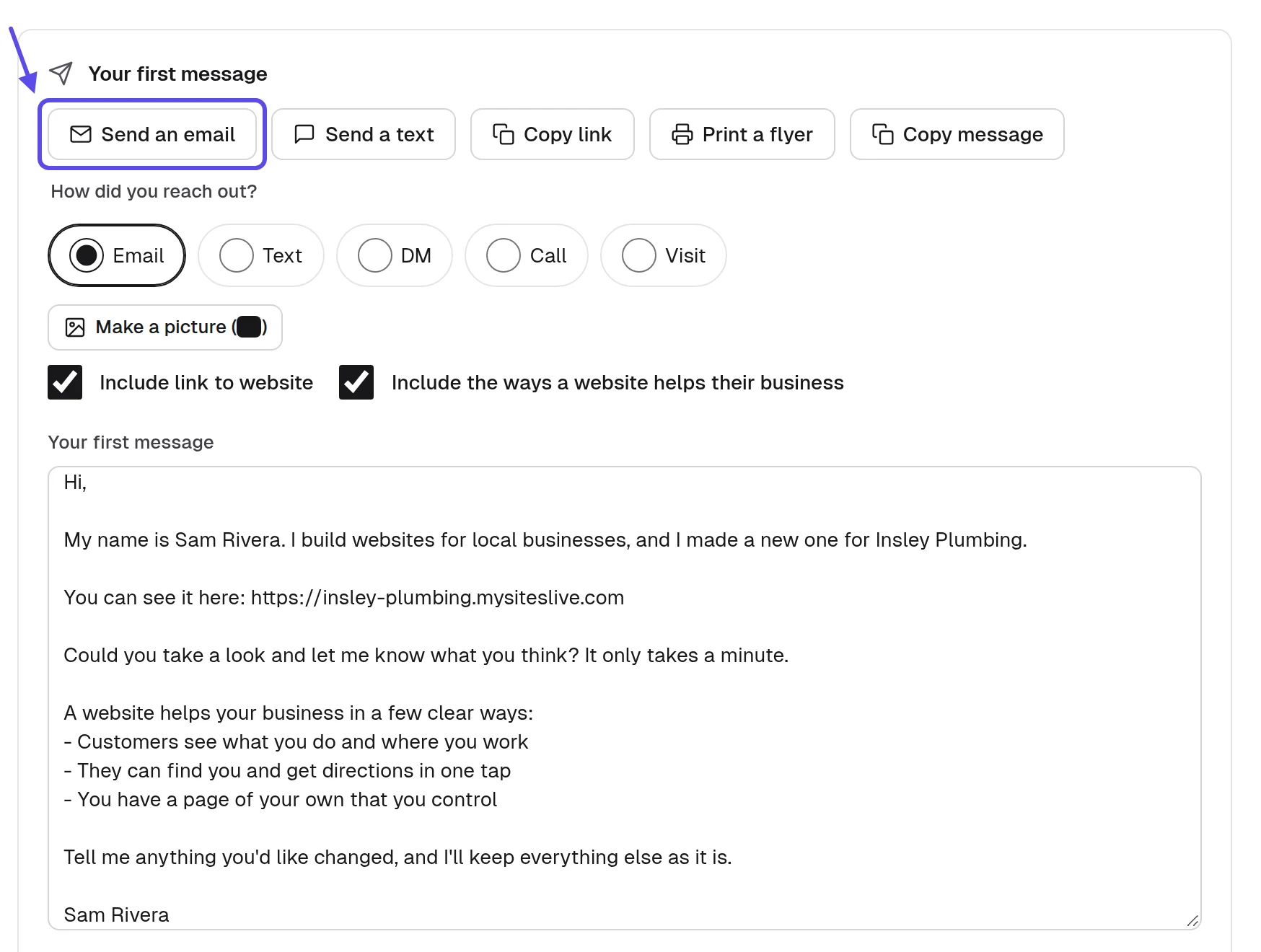
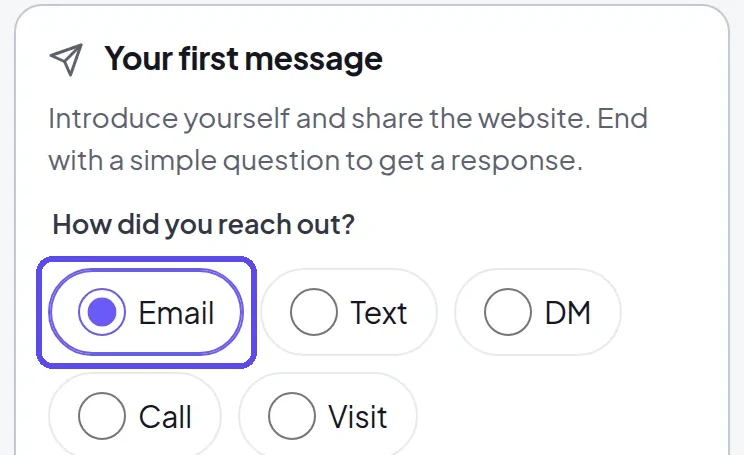
Record a short screen video with Loom that scrolls the owner's new website on a phone. Say their business name in the first five seconds. Send the video with the link. An owner who won't open a link from a stranger will often watch a short video about their own business. It feels personal because it is.
In the United States, the FTC's compliance guide to the CAN-SPAM Act says a commercial email must include your valid physical postal address and a clear way to opt out, and opt-out requests must be honored within 10 business days. Other countries have their own rules. 2
First email to an owner
Subject: I made a website for [Business name]
Hi [Owner name],
I'm [Your full name] from [Your business name]. I searched for [Business name] on my phone and couldn't find your hours, so I built a website that shows them, with your services and your phone number.
Here's the link, and it works on a phone: [Website link]
This is an offer of a website. If you want it, I can put it live and look after it every month, and I'm happy to walk you through it in five minutes.
If you'd rather not hear from me, reply "no thanks" and I won't write again.
[Your full name], [Your business name], [your mailing address]
First text message
Hi, this is [Your full name] from [Your business name], [your phone number], [your address]. I built a website for [Business name] after I couldn't find your hours online. Here it is: [Website link]. Reply STOP to opt out.
Follow-up after three days
Subject: Re: a website for [Business name]
I'm checking whether you saw the website I made for [Business name]. Here's the link again: [Website link]. I'm glad to change anything you'd want different, and it takes a few minutes.
Reply "no thanks" and this is the last message you'll get from me.
[Your full name], [Your business name], [your mailing address]
- Open it on the owner's phone if they agree
- Start with what customers can't do today
- One business, one message, its own link
- Your mailing address and opt-out in every email
- One follow-up at most, a few days later
You'll know it worked when the owner opened the link or watched the video. You have a reply, a question or a date to talk again, and it's marked in the Pipeline.
Tip
One personal message to one business beats a hundred copies of the same one. Owners can tell the difference in the first line.
7. How do you set a monthly price the owner can repeat?
Set one monthly price that covers the website, its hosting and the changes the owner asks for. Add a one-time setup fee only if your area expects one. Owners understand a monthly price better than a big one-time bill. The monthly price is also what makes the money repeat. Keep it to one number they can remember. Your price, your profit.
A few things set the number. Look at what similar services cost in your area. Think about what one new customer is worth to that business. A roofer's single job and a café's regulars are worth very different things. Then decide what you include each month. Settle it before the first conversation. Our guide on what to charge for a website works through the number for your type and town.
In our app, your storefront is your own page with your name, logo and prices. A business can ask you for a website there. What you pay us is on the pricing page, so you know your own costs before you set the owner's price.
Write your price on one page in Google Docs that the owner can keep. List what's included each month, the setup fee if you charge one, and how to cancel. Print it or send it as a file. Never put a number on it that you can't explain in one sentence.
The price an owner can repeat in one sentence to a partner or an accountant is the one that gets agreed. A single monthly number with a plain list of what it covers beats three packages to choose from. Three choices give the owner a reason to wait.
When it sounds expensive
Fair question. What's one new customer worth to you? The monthly price is covered by one extra customer a month, and you can cancel at any time.
- Decide the monthly price before you meet
- List what the monthly price includes
- Decide whether you charge a setup fee
- Say plainly how the owner can cancel
- Know your own costs from the pricing page
You'll know it worked when you can say the price and what it covers in one breath. Owners argue about the website, not the number. That's the conversation you want to have.
Tip
Say the price once, plainly, then stop talking. The owner's first answer tells you more than any explanation would.
8. How do you get approved and paid?
When the owner says yes, you send an approval link. It opens a secure card payment page in your name, with your monthly price and any setup fee. Paying is the owner's approval of the exact website they saw. One link means no invoice to chase and no back and forth about what was agreed. It's all in one place.
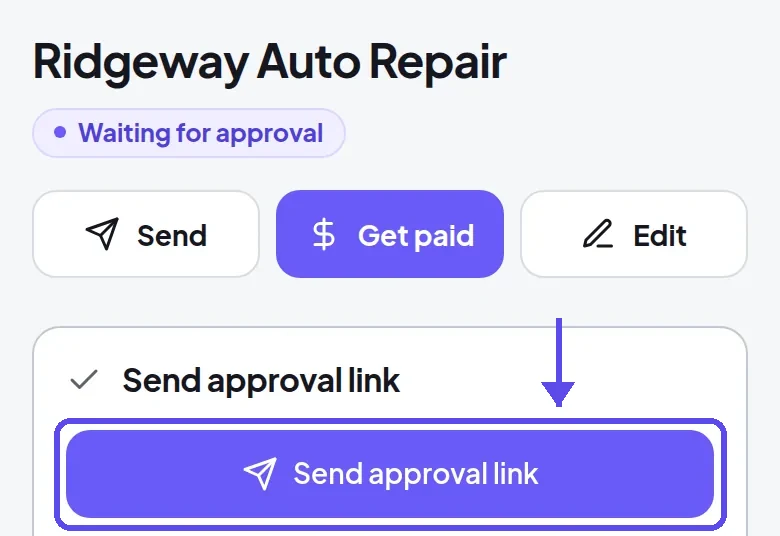
An approved website goes live at its address in a few minutes. An owner who already owns a web address connects a domain in their own login, and the domain stays theirs. If they never approve, the website goes offline 30 days after it was built. That way, nothing is left hanging. You don't have to clean anything up by hand.
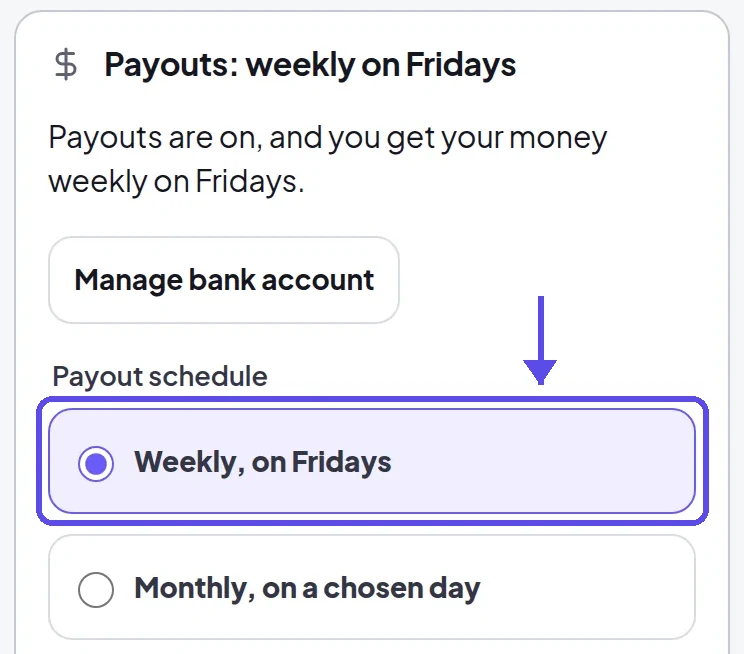
Payouts reach your bank weekly on Fridays or monthly on a day you choose. You connect your bank once. From then on, each paying client adds to every payout without another sale. That's the part of the work that repeats month after month.
If the owner wants to talk it over first, send a link from Calendly so they can pick a ten-minute call that suits them. A booked call beats a "let me think about it." Send the approval link at the end of the call.
If the owner is ready, send the approval link while you're still with them. A yes given in the room is often a maybe by the next day. Let them pay on their own phone in front of you. Then tell them when it'll be live.
The approval message
Thanks, here's the link to approve [Business name]'s website: [Approval link]. It shows the website and the monthly price we agreed. Once you approve it, the website goes live.
- Send the link while the yes is fresh
- The price on the page matches what you said
- Your bank is connected for payouts
- Tell the owner when it will be live
- Open the live address on your phone
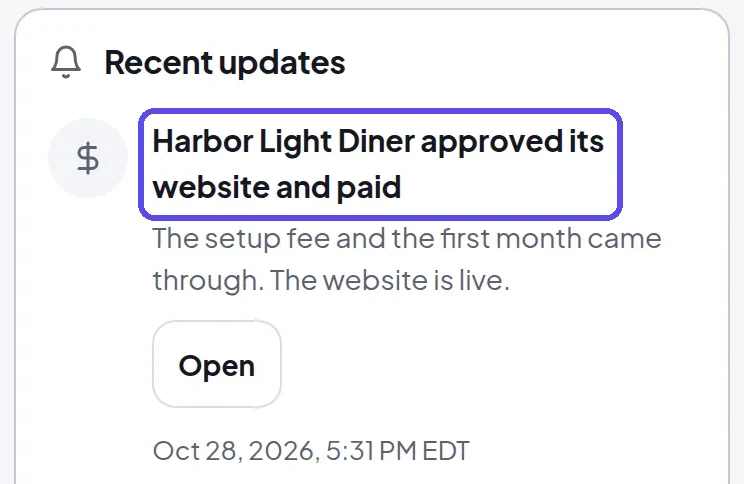
You'll know it worked when the notification says the business approved and paid. The website is live at its address, and the payment shows in your next payout. Open it on your phone to be sure.
Tip
Tell the owner the day the website will be live before they pay. A clear date makes the yes easier.
9. How do you keep the money coming every month?
Make the changes owners ask for quickly, show them what the website brings, and ask happy owners who else they know. The monthly care is the job, and it's the reason the payment repeats. An owner who sees the website kept up to date between customers has no reason to cancel. Treat each client like they're your only one.

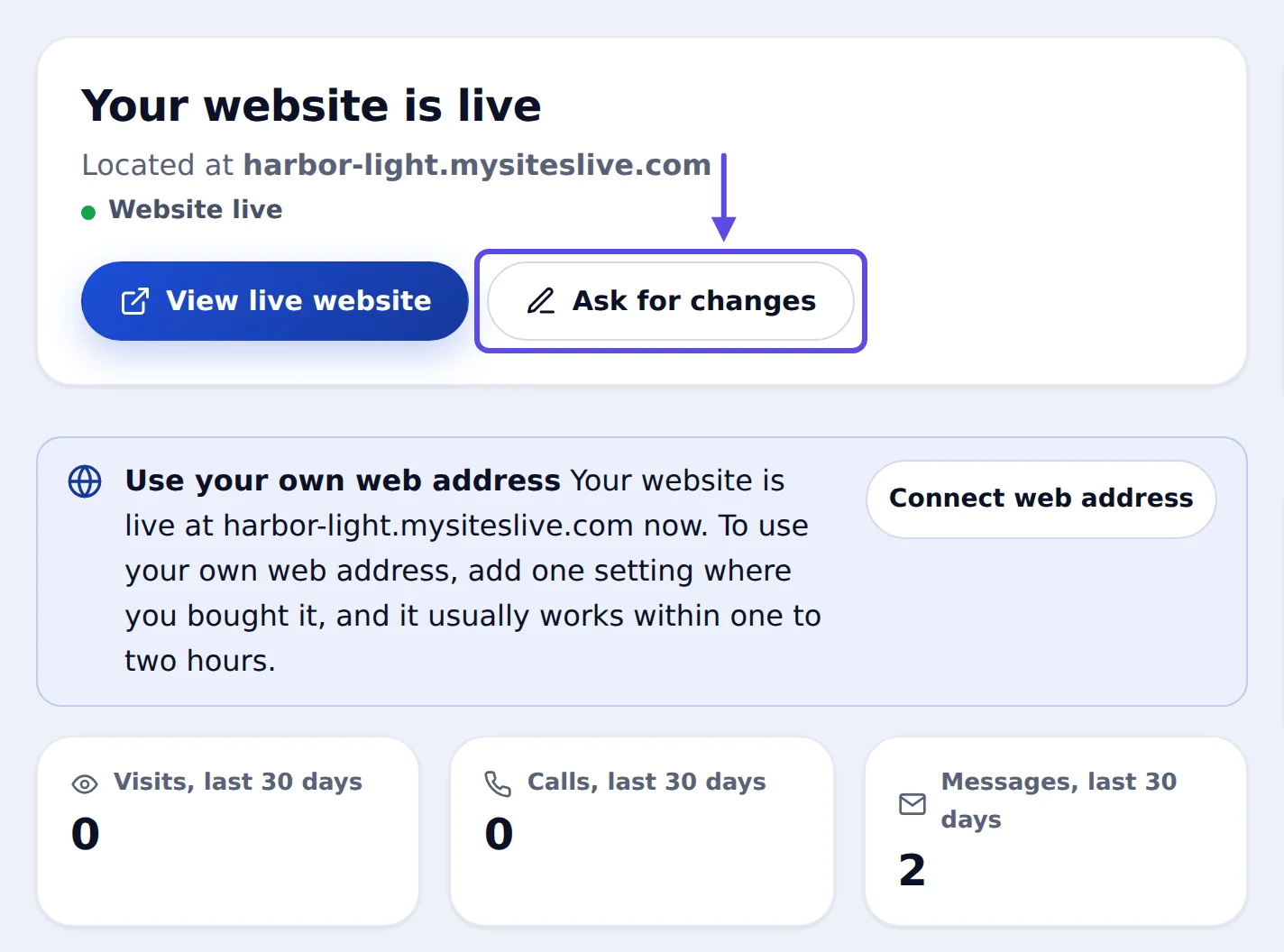
In our app, the owner gets their own login. It shows that the website is live, its visits, calls and messages, and a button to Ask for changes. Owners ask for new hours, a holiday notice or a new photo there. You make each change in plain words, and the website updates.
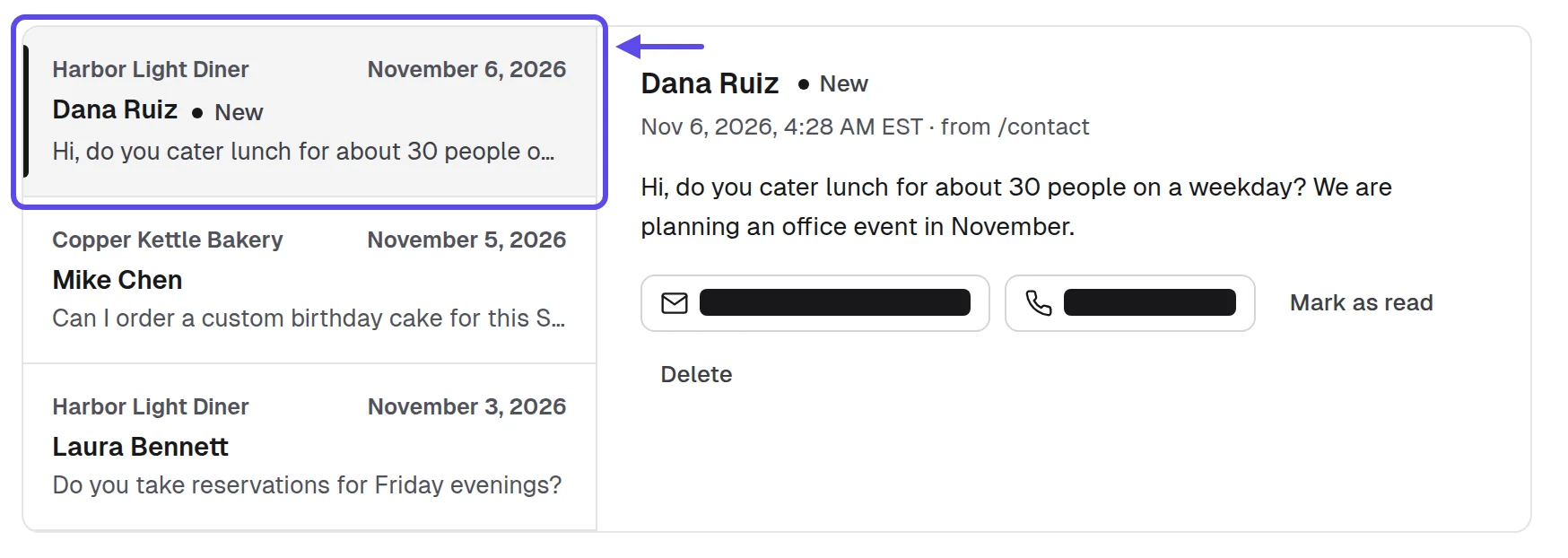
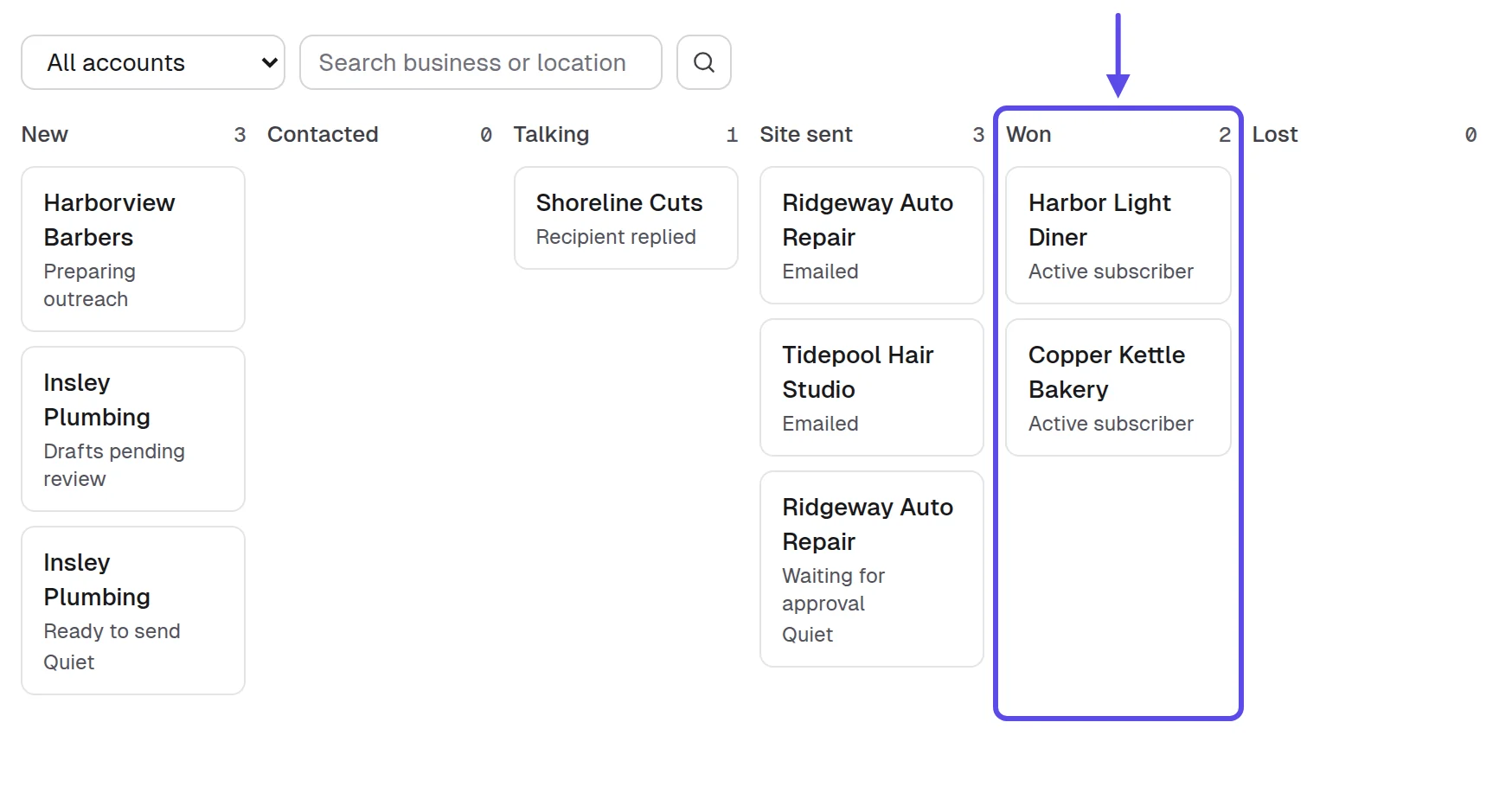
Messages from every client website's contact form arrive in the Inbox. The Pipeline keeps every business by stage, from New to Won and Lost. So you can see who pays and who's still deciding. Check both each day, and you won't miss a customer's message or an owner who's waiting on you.
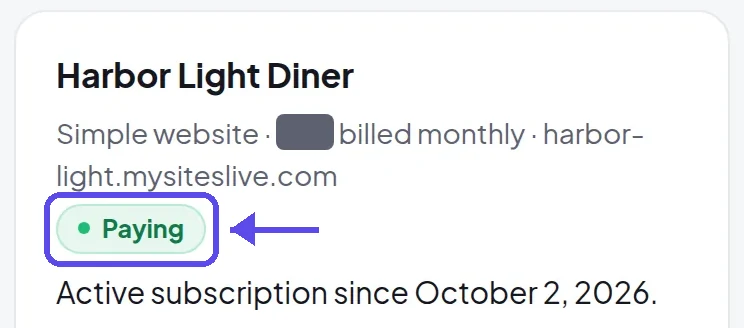
If a card payment fails, reminders go out in your name. The website stays online for 14 days while the card is retried. You don't have to chase the money yourself, but a friendly call helps. A short, kind word keeps the relationship warm.
After the website goes live, help the owner put the new address on their Google Business Profile. That way, the Website button points to it. Customers who find them in Google Maps then land on the website the owner pays you for.
A referral is part of the monthly care. Ask every happy owner who else they know. A word from the café next door does more than any email you could send. Ask in person, after a change they liked. Our guide on how to hand over a website covers the first week after going live.
Monthly check-in email
Subject: A check-in on [Business name]'s website
Hi [Owner name],
The website for [Business name] has been live for a month. You can see your visits, calls and messages in your login.
If your hours change, a holiday is coming or you have a new photo, reply with the change and I'll make it this week.
If you know another business owner who needs a website, I'd be glad of the introduction.
Reply "no more check-ins" and I'll stop these emails.
[Your full name], [Your business name], [your mailing address]
- Call a week after the website goes live
- Make each change the day it's asked
- Check contact form messages reach the owner
- Update the listing's Website button address
- Ask every happy owner who else they know
You'll know it worked when clients stay at Paying month after month and ask for changes. At least one business on your Pipeline also came from a client's introduction. That's the cycle working.
Tip
Note each owner's busy season in your sheet. A short message a few weeks before it starts, offering to update the hours, shows them what the monthly price is for.
Which mistakes stop a website service from making money?
Five mistakes stop the money: building for people who don't decide, sending the same message to everyone, meeting without a price, never following up, and forgetting the client after the yes. Each one is easy to miss because the work still feels busy.
- Building for chains and franchises, where head office decides; check who decides first.
- Sending one message to everyone; write one line about each business instead.
- Walking in without a price; decide the monthly number the day before.
- Never following up; send one short message with the link a few days later.
- Going quiet after the yes; make the first change quickly and call after a week.
The money in this service comes from repeat payments, so the last mistake is the costliest. A client who leaves takes every future month with them. A client who stays sends you the next business. Look after the yes as carefully as you chased it.
Are your website clients still paying every month?
Not always, and you won't know which ones stopped unless you count. Each week, count the clients still paying in the Pipeline or a sheet in Google Sheets, next to four more: the reply rate, the approval rate, the days to a first payment and the changes clients ask for. They're things to watch, not targets to hit.
- The reply rate, owners who answer your message or visit; if it's weak, change the message or type, not the website.
- The approval rate, owners who approve their website; if it's weak, change how you show it and what comes first.
- The days to a first payment; if they stretch, follow up sooner and send the approval link in the room.
- The clients still at Paying each month; if some leave, call them after a week and make changes the same day.
- The changes clients ask for; if none come, send the monthly check-in and offer one before their busy season.
Change one thing at a time, then count again the next week. If you change two things at once, you won't know which one helped. The number that matters for the money is the clients still paying. Each one adds to every payout without another sale.
Frequently asked questions
Can you make money online using websites without knowing how to code?
Yes, you can. AI builds the website from the business's details, and you ask for changes in plain words. The skill that brings the money is choosing the right businesses, showing each website well and looking after every client once they've said yes.
Do you need your own website to sell websites?
No, but a page of your own helps owners trust you. In our app, your storefront is your own page with your name, logo and prices. A business can ask you for a website there, and you can share it when you meet an owner.
When does the money from a website client reach you?
The money reaches you once the owner has approved the website and paid through the approval link. From then on, payouts reach your bank weekly on Fridays or monthly on a day you choose, for as long as the client keeps paying each month.
Is it legal to email local businesses about a website?
Yes, in the US you can, if you follow the CAN-SPAM Act: the FTC's compliance guide to it says a commercial email must include your valid physical postal address and a clear way to opt out, with opt-out requests honored within 10 business days. Other countries have their own rules. 2
Do you need a license to sell websites to local businesses?
It depends on where you are and what you do. The SBA's guide to licenses and permits says requirements and fees vary with your business activities, your location and the government's rules. A name that isn't your own may need registering as a DBA with the state, county or city. Check the SBA's guide and its local assistance. 3
What happens if a client's card payment fails?
Reminders go out in your name, and the website stays online for 14 days while the card is retried. A friendly call to the owner usually sorts it out faster than any reminder, and it keeps the relationship warm.
Should you build the website before the business pays?
Yes, when the build takes minutes, not days, because the owner judges something finished and pays only after approving it. A website that's never approved goes offline 30 days after it was built, so nothing is left hanging for you or the owner.
Sources
- US Census Bureau, “Census Bureau Statistics Shed Light on Self-Employment by Sector and State During Small Business Week” (May 6, 2025), on the 2022 Nonemployer Statistics and County Business Patterns
- Federal Trade Commission, CAN-SPAM Act: A Compliance Guide for Business
- US Small Business Administration, “Apply for licenses and permits” (business guide)
- Ironstone, Lead finder’s searches and results for partners (our own accounts left out), October 8 to November 17, 2026, from our own records read November 20, 2026
- US Census Bureau, Quarterly Retail E-Commerce Sales, 3rd Quarter 2026 (November 19, 2026)
- US Bureau of Labor Statistics, Occupational Outlook Handbook, “Web Developers and Digital Designers” (2025 data)
- Federal Trade Commission, “New FTC Data Show a Big Jump in Reported Losses to Fraud to $12.5 Billion in 2024” (press release, March 10, 2025)
- Rio SEO, 2025 Local Search Consumer Behavior Study (US consumers; Business Wire, May 21, 2025)
- CX Dive, “Customers back up their initial searches for local businesses with reviews” (July 11, 2025), on a survey of more than 1,000 US consumers