 Ironstone
You sell websites to local businesses where the owners already are, not on a marketplace. The channels are your storefront page, a walk-in, an email, a text, a message on their social page, a phone call, a short video and referrals from clients. Pick the channel by the gap you found: no website, an outdated one, or a social page only. Website marketplaces, where people sell websites they own, are a different business. This guide sets up each channel, with screens from our app.
Key facts
- Of the 56 businesses with a gap that Lead finder, our business lookup tool, showed partners between October 8 and November 17, 2026, 6 had only a social or directory page for a website, by Ironstone's own records (our own accounts left out). 1
- 70% of US adults ever use Facebook and 51% ever use Instagram, in Pew Research Center's survey of January 30 to June 18, 2026. 4
- Each separate email that violates the CAN-SPAM Act may be fined up to $53,088, per the FTC's compliance guide. 2
Where do people go to sell websites to local businesses?
You sell a website to a local owner on eight channels: your storefront, a walk-in, an email, a text, a direct message on their social page, a phone call, a short video and referrals. The platform is the channel the owner already uses, not a site where strangers bid on a job. Here are the eight, in the order this guide covers them.

- Your storefront, the page where an owner checks who you are
- A walk-in, with the owner's finished website open on your phone
- An email to the address the business publishes
- A text to the number on the business listing
- A direct message on the business's own social page
- A phone call that books a ten-minute look
- A short screen video of their website on a phone
- Referrals from happy clients and the businesses next door
Two different businesses both get called selling websites. One is building websites for local owners who pay you monthly. The other is selling a website you own to a buyer on a website marketplace. This post is about the first. Our guide on how to sell AI websites to local businesses covers the whole method; this post covers where the sale happens.
The channel matters more than the platform. The same finished website can get a reply on one channel and silence on another. A plumber on a job reads a text. A bakery owner keeps up her social page. An auto repair shop reads email at the front desk. Match the channel to the owner, and to the gap you found.
Why do local owners buy websites from a person?
Owners often pay someone outside the business to build their website, and they pick who to buy from by how clearly that person talks and whether they can work with them for years. So the website has to come from someone they can reach. Three figures back this up: two from Clutch's survey of small business decision-makers and one from Clutch's 2025 survey of small business websites.
In Clutch and Drive Research's survey of 500 small and midsize business decision-makers, published in The Small Business Growth Playbook for 2025, 81% said clear and consistent communication is the most important factor when they select service providers, consultants or business partners. An owner buys from someone who answers and explains, so sell where they can reach you and you can reach them. 5
Clutch's 2025 survey, in its press release of August 21, 2025, found that 45% of small business websites are built by outside partners, more than by in-house teams or by owners themselves. An owner often buys the website instead of building it, so be the outside partner they can reach in person. 6
The same Clutch and Drive Research survey of 500 small and midsize business decision-makers, in The Small Business Growth Playbook for 2025, found that 74% of them count long-term partnership potential among the most important factors when they choose service providers and consultants. An owner is looking for someone to work with for years, so the channel has to show your name and your town, not an anonymous bid. 5
These figures tell you where to sell: an owner who pays an outside partner picks one they can talk to and keep working with, so your channel has to carry your name, your town and their finished website. An anonymous bid on a freelance marketplace carries none of those and gives the owner nobody to reach. That's why every channel below ends with the owner seeing their own website.
Which channel fits which business?
The gap decides the channel: a visit or a text for no website, an email for an outdated website, a direct message for a social listing only, and a visit for a delivery page only. Our post on places to find web design clients covers finding them. The table below covers how to reach each one.
Lead finder, our business lookup tool, showed 6 partners 56 local businesses with a gap between October 8 and November 17, 2026 (our own searches left out). Of those, 28 had no website found, 16 had an outdated website, 6 had only a social or directory page and 6 had only a booking or ordering service. The table pairs each label with a channel and an opening line. 1
| What Lead finder found | Businesses (of 56) | Channel to try first | The opening line, word for word |
|---|---|---|---|
| No website found | 28 1 | A text, then a visit | "I looked for Insley Plumbing online and couldn't find a website, so I built one with your hours and a call button. I'd like to show you on your phone." |
| Outdated website | 16 1 | An email to the address on the site | "Ridgeway Auto Repair's website is hard to read on a phone, so I built a new one from your listing with your services and hours at the top." |
| Social listing only | 6 1 | A direct message on that page | "Oatmere Bakery's page shows your cakes but not your hours, so I built a website that shows both. I'd be glad to show it to you." |
| Delivery or ordering page only | 6 1 | A visit at a quiet hour | "Harbor Light Diner's only page online is for delivery orders, so I built a website with your menu, hours and a call button for people who want to come in." |
Read each row from left to right. Each opening line names the business and a gap the owner can check on their own phone. The channel is the place where that owner will see it. A business with a working website gets no message this month, so note it and check back later.
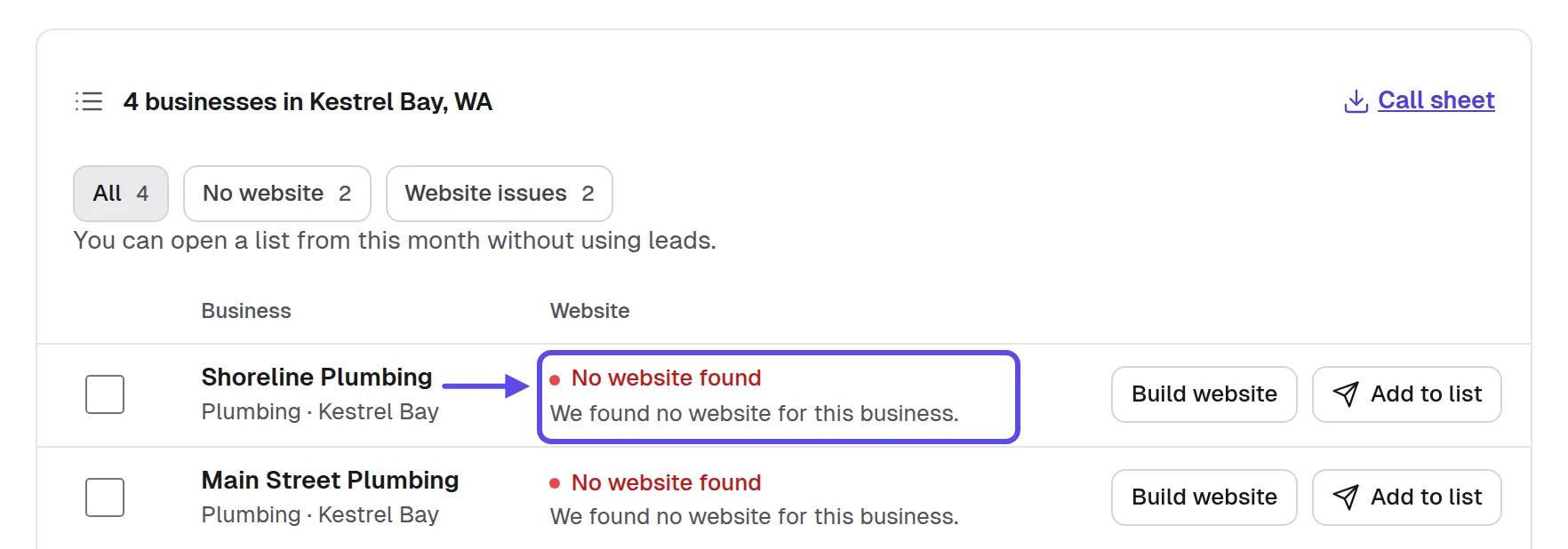
Picture a salon whose only page online is a social listing. The owner reads messages there in a quiet moment between appointments, so a direct message gets seen. A walk-in on a full afternoon, with every chair taken, doesn't. The business and its day decide the channel, not your own habit.
How do you sell websites on each channel in 9 steps?
Set up your storefront first, then work the walk-in, email, text, direct message, call, video and referrals, and log every one in one list. Each step gives why it matters, a twist people miss, how to do it by hand, where our app helps, a checklist and how you know it worked. The examples use fictional businesses.
1. Where do owners find you when they look you up?
Owners find you on your storefront, your own page where a business can ask you for a website. Here's why it matters. After a visit, an email or a text, a careful owner looks up the stranger who built their website. A page with your name, your town and a way to ask turns a link from a stranger into a local business they can check.
The twist: your storefront isn't a channel you wait on. It backs up every other channel. Put its link in your email sign-off, your text, your video message and the card you leave on a visit. Then the owner who wants to check you has one place to go, wherever they first heard your name.
By hand, open a new document in Google Docs and write one page: your full name, your business name, your town, what you build, how you look after it each month and how to ask. Share it by link from the Share screen and paste the link into every sign-off. Leave prices off it unless you're ready to say them in person.
In the app, your storefront is your own page where a business can ask you for a website. Set it up once, then open it on your phone and read it the way an owner would. The same link then works on every channel in this guide.
Storefront intro
I'm [Your full name] of [Your business name] in [Your town]. I build finished websites for local businesses and look after them every month.
Tell me your business name and I'll show you a finished website on your phone before you decide. There's nothing to pay to look.
[Your phone number], [Your email], [your mailing address]
- Your full name and business name at the top
- Your town named, so local is something they can check
- One clear way for a business to ask
- The page reads well on your own phone
- The link pasted into every sign-off you use
You'll know it worked when an owner you contacted says they looked you up. Another sign: a business asks you for a website from the page before you ever contacted it.
Tip
Use the same name on the storefront, the email and the text. An owner who sees three different names stops trusting all three.
2. How do you sell a website by walking in?
Walk in at a quiet hour with the owner's finished website open on your phone, and let them scroll it. It matters because the owner sees the website and you at the same time, and their questions get answered in the room. Our walk-in plan on how to sell websites in person covers the visit minute by minute. Here, it's one channel of nine.
The twist: don't walk every door. Take the walk-in to the gaps it suits, which in the table are no website found and delivery page only. An owner with no website has nothing to compare it with and needs to see one. An owner with an outdated website can read an email at the desk first.
By hand, search "[type] near [town]" in Google Maps, open each listing, and read the Website button and the opening hours. Pick businesses on one street so you can walk the route. Then open Google Calendar and block the walk as an event at an hour the businesses are open but not busy.
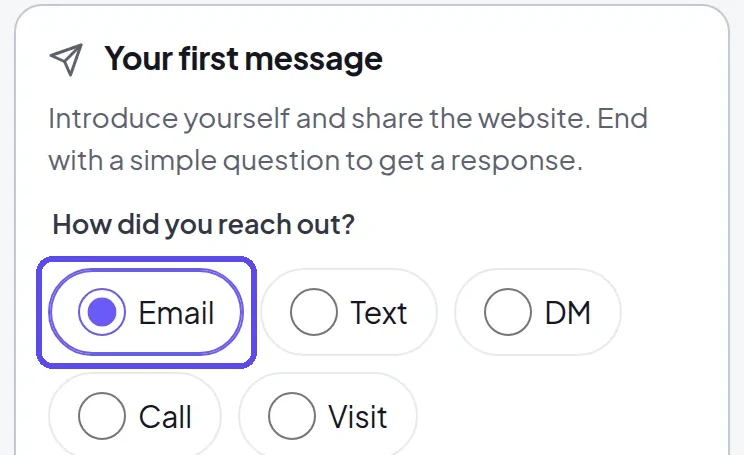
In the app, after the visit, choose how you reached out on your phone: email, text, DM, call or visit. Every business then shows which channel reached it. The website stays marked Ready to send, so you can show it again on a second visit.
The first words inside
I searched for your diner and only found a delivery page, so I built a website with your menu, your hours and a call button. I'd like to show you on your phone.
It's already built, there's nothing to pay to look, and if you like it, it can go live this week.
Tell me a better time to come back, and I'll leave you this card with my name and the link.
- Go at an hour the business is quiet
- Their website open on your phone before you enter
- Ask for the owner or whoever decides
- Hand over the phone and stop talking
- Leave the website link and your storefront link
It worked if the owner scrolled their own website and asked a question about it. You also logged the visit the same day, with a follow-up date in the list.
Tip
If the owner isn't in, ask when they will be and come back then. A second visit at the right hour beats a long talk with someone who can't decide.
3. How do you sell a website by email?
Send one email to one owner, in your name, with the link to their finished website and an easy way to say no thanks. It matters because an owner with an outdated website already lists an email address on it and reads mail at the desk. Email reaches the right person at a time they choose, not in the middle of a customer's visit.
In the United States, the FTC's compliance guide to the CAN-SPAM Act says a commercial email must include your valid physical postal address and a clear way to opt out, and opt-out requests must be honored within 10 business days. Other countries have their own rules. 2
The twist: write to the address the business published on its own website or listing, never a guessed one. Put the business name in the subject line. Name the one thing a customer can't do on their current site today. An email that points at their own gap reads like a letter, not a campaign.
By hand, open a new message in Gmail for each business, paste the template and the link, and put your mailing address in the signature, set once on the Settings screen. In a new spreadsheet in Google Sheets, keep columns for business, gap, date sent and follow-up date. Send the follow-up as a reply in the same thread.
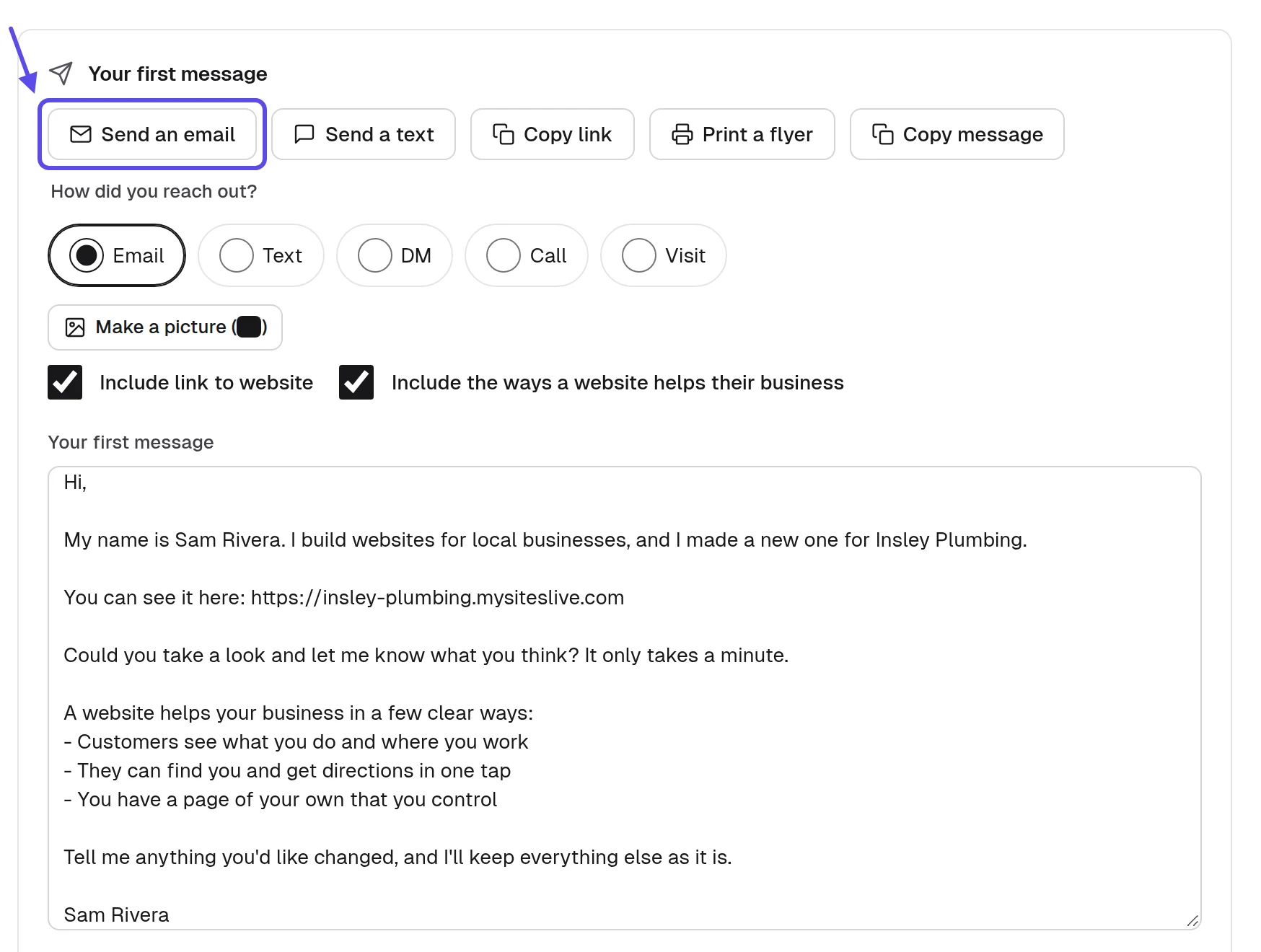
The app writes a first message in your name and lets you send it by email or text, or print a flyer. Every email carries an opt-out line, and follow-ups stop when the business replies. Read it once before you send, and change any word that doesn't sound like you.
First email, outdated website
Subject: I built a new website for [Business name]
Hi [Owner name],
I'm [Your full name] from [Your business name]. I opened [Business name]'s website on my phone and the hours and the call button were hard to find, so I built a new one from your listing.
Here's the link, and it works on a phone: [Website link]
This is an offer of a website: if you want it, I can put it live and look after it every month. I'm happy to show it to you in five minutes.
If you'd rather not hear from me, reply "no thanks" and I won't write again.
[Your full name], [Your business name], [your mailing address], [Storefront link]
Follow-up after three days
Subject: Re: your new website
I wanted to check whether you saw the website I made for [Business name]. Here's the link again: [Website link]. I'm glad to change anything you'd want different.
Reply "no thanks" and this will be my last message.
[Your full name], [Your business name], [your mailing address]
- One business, one email, their own link
- Your full name and business name in it
- Your mailing address in every email
- A clear way to say no thanks
- One follow-up at most, in the same thread
It worked when the owner replies, even with a question, or opens the link and asks for a change. A "no thanks" honored the same day also shows the channel is reaching owners.
Tip
Send from a mailbox in your own name. An address that looks like a company robot gets read as one.
4. When does a text message work better than email?
A text works better when the owner works with their hands all day, in lawn care, plumbing or roofing. A lawn care owner behind a mower doesn't open email until night, but sees a text between jobs. That's why it matters: the link opens their website on the phone that's already in their hand, in the gap between one job and the next.
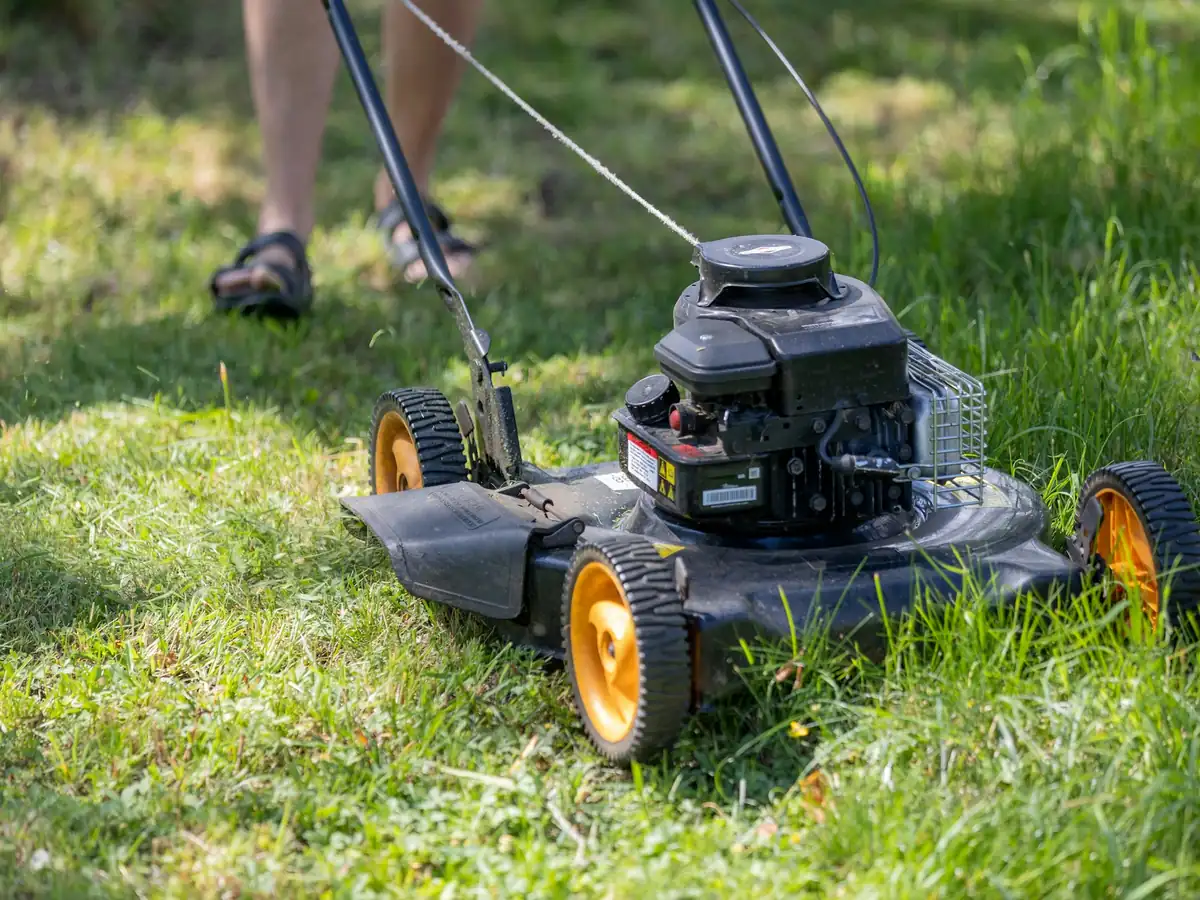
The twist: text the number on the listing, never a personal number you found somewhere else. If you're not sure it's a cell, call it once during working hours. If a front desk answers, it's a desk line, so talk then and skip the text. A desk line may not take texts, and the owner isn't standing next to it. Send one text only. The link does the work, and a second text reads as pressure.
By hand, write the text in your phone's messages app from the template below. Log the number, the date and any reply in a "texted" column in Google Sheets, so no business gets two first texts from you. Federal and state rules on marketing texts can cover consent and the hours you may send. This isn't legal advice: ask a business lawyer, or an advisor through the SBA's local assistance, how they apply to you. Note each answer, who gave it and the date in a rules tab before you text.
The app lets you send the same first message as a text. Follow-ups stop when the business replies, so nobody gets a reminder after they've answered. Mark text in how you reached out, so the business shows which channel reached it.
First text message
Hi, this is [Your full name] from [Your business name], [your phone number], [your address]. I couldn't find a website for [Business name] online, so I built you one to look at. Here it is: [Website link]. Reply STOP to opt out.
- The number comes from the business's own listing
- Your full name, business, phone number and address
- One sentence on why you're writing
- Ends with Reply STOP to opt out
- Sent during working hours your rules tab allows, never late at night
A reply of any kind, even one asking who you are, means the text reached the owner. Silence after the one text means it's time to try a visit next, not a second text.
Tip
Check your state's rules before you text businesses. The template's opt-out line is a start, not the whole rule.
5. How do you reach an owner whose only page is a social listing?
Send a direct message on that social page that names what the page is missing, such as the hours, with the link to their finished website. It matters because the owner reads messages there; it's the page they keep up. Lead finder labels these businesses Social listing only, so you can pull them into one short list before you write.
The twist: before you write, check the date of the page's last post. An owner who posted this week reads messages. A page that's been quiet for months means a visit or a call instead, because the message won't be seen. A quick scroll tells you which one you're looking at.
By hand, search the business in Google Maps and open its Google Business Profile listing. If the Website button opens a social page, that's the gap. Copy the page's address into your sheet, then send the message from your own account, in your real name. A real name and photo make the message easier to trust.
Under Lead finder's Social listing only label is a line you can say to the owner. Use it as the first sentence of your message. After sending, choose DM in how you reached out, so the business shows which channel reached it.
A direct message
Hi, I'm [Your full name] from [Your business name]. Your page doesn't show your hours, so I made [Business name] a website that does: [Website link]. I'd be happy to show you if you'd like. A no is fine, and I won't message again.
- The page posted something in recent weeks
- Your real name on the account you use
- The message names what their page is missing
- The link to their own finished website
- No second message if they don't answer
It worked when the owner answers on the page or asks to see the website in person. A page that doesn't answer moves to your visit list, with the date you sent the message.
Tip
Keep the message shorter than a text. Owners read these between customers.
6. How do you turn a phone call into a booked ten-minute look?
Call at a quiet hour, ask for the person who decides, say the website is already built, and book a ten-minute look by call or visit at a time they pick. It matters because one call tells you whether the business is open and who decides, and no search can tell you that. It also puts a real voice behind the link you'll send.
The twist: the call is for booking, never for describing the website. An owner can't judge a website by ear, and a long description only gives them reasons to say no. Send the link while you're still on the line, and let them open it as you talk. Keep the call short.
By hand, open Calendly and set up one event type for a ten-minute call on the Event Types screen, then copy its link. Text or email it during the call so the owner picks a time that suits them. A booked call beats a "let me think about it."
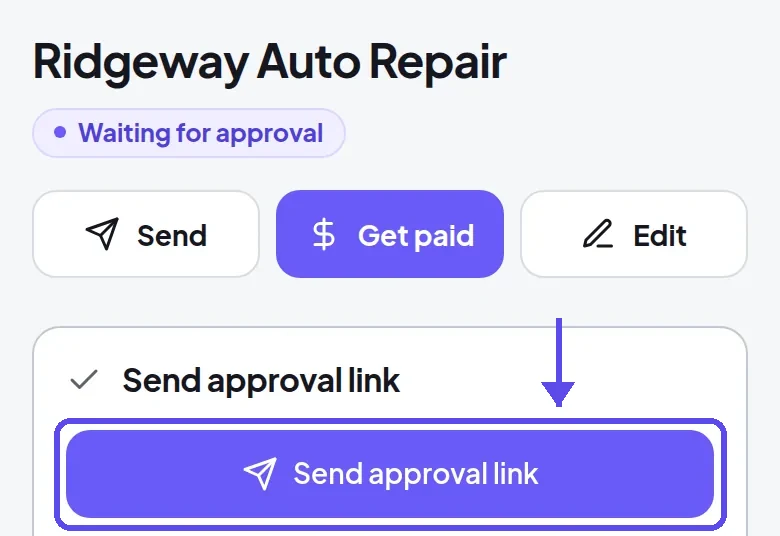
After the look, if the owner says yes, send an approval link. It opens a secure card payment page in your name, with the monthly price and any setup fee. Paying is the owner's approval of the exact website they saw, so there's no confusion about what goes live.
The booking call
Hi, this is [Your full name] from [Your business name]. I built a website for the shop, and I'd like to talk with whoever looks after things like that.
The website's already built, and it takes ten minutes to look at. Let me know if a call or a visit suits you better, and when.
I'll text you the link now and call back at the time you pick.
- Call at a quiet hour, not at opening
- Ask who decides before you explain anything
- Book a time, don't describe the website
- Send the link while still on the call
- Note the booked time in your sheet
It worked when the call ends with a time in both calendars. It also worked if the owner opened the link while you were still on the line and started asking about it.
Tip
If the person who answers can't decide, ask for the best time to call back. Then call at exactly that time.
7. How does a short video sell the website for you?
A short screen video that scrolls the owner's new website on a phone, and says the business name first, lets the owner see it when they have a minute. A cafe owner watches it after the morning rush, coffee in hand, not while the line is out the door. It matters because they see the website as a customer would, with your voice beside it.
The twist: record the phone view, never the desktop. Customers will look it up on a phone, so that's the view to show. In the first seconds, say the one thing a customer can't do today, like find the hours, call from the phone or see the menu. Then show that thing working on the new website, and stop recording.
By hand, open Loom and record your screen with the website in a phone-sized window. Say the business name in the first five seconds. When you stop, copy the share link from the video's page. Send it with the website's own link by email or text, so the owner can watch first and then tap through.
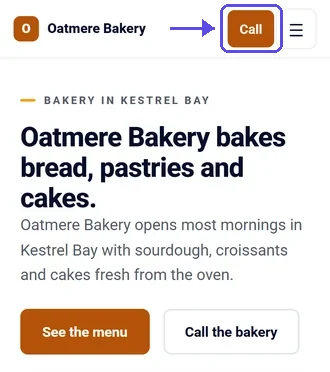
In the app, open the finished website from its page, with the buttons a customer needs on the first screen, like See the menu and Call the bakery on the fictional bakery below, and record that. If the owner asks for a change after watching, ask for it in plain words and the website updates in a few minutes.
Email with a video
Subject: A short video of [Business name]'s new website
Hi [Owner name],
I'm [Your full name] from [Your business name]. I recorded a short video showing [Business name]'s new website on a phone: [Video link]
The website itself is at [Website link].
This is an offer of a website: if you want it, I can put it live, look after it every month and change anything you'd want different.
If you'd rather not hear from me, reply "no thanks" and I won't write again.
[Your full name], [Your business name], [your mailing address]
- The phone view, not the desktop
- The business name in the first five seconds
- The gap shown first, then the fix
- Both the video link and the website link
- Your mailing address and the opt-out line
It worked when the owner answers with something they saw in the video, such as an hour to fix or a photo to swap. That means they watched to the end.
Tip
Record one video for each business, never one for all. An owner can tell in seconds when a video is about someone else.
8. How do you get owners to send you the next business?
Ask each happy client, a week after their website goes live, who else they know, and give them a short message to forward. It matters because an owner who sees calls and messages arriving vouches for you better than any email you could send. They've seen the website work for their own business, and they can say so in their own words to people who trust them.
The twist: ask about neighbors, not friends. The business next door, the supplier who visits every week and the shop across the street share customers and talk every day. Ask for one name, not a list. One name gets a visit this week; a list sits in your notes for months.
By hand, add a "referred by" column in Google Sheets, next to the other columns in your list, and write down who sent each new business. When a referral says yes, thank the owner who named them the same day, by text or in person.
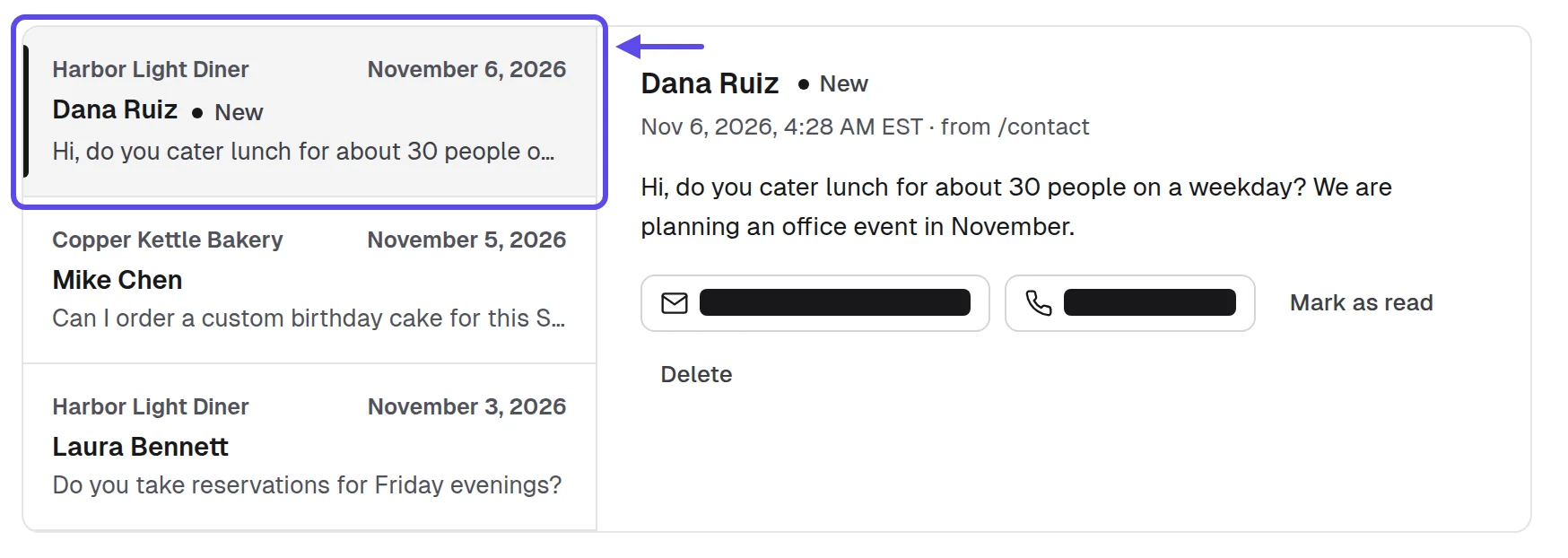
Messages from every client website's contact form arrive in the Inbox, and the owner's own login shows the website is live, with visits, calls and messages. Ask for the referral after a week with messages in it, when the owner has seen the website work.
A referral ask
I'm glad the website's bringing in messages. If you know a neighbor or a business you work with that could use one too, I'd be glad to hear about it.
"[Your full name] of [Your business name] built our website and looks after it every month; here's their page: [Storefront link]."
- Ask a week after the website goes live
- Ask for one name, not a list
- Give them a message they can forward
- Note who referred whom in your sheet
- Thank the owner when a referral says yes
It worked when a business contacts you saying another owner sent them. It also worked when a client hands you a name you can visit this week, and you put it on your route.
Tip
Make a client's first change the same day they ask. The quick fix is what they tell the neighbor about.
9. How do you keep every channel in one place?
Keep one list, the Pipeline in our app or one sheet, with every business, its gap, the channel you used, the date and its stage. It matters because with eight channels, a business can get an email and a text by mistake. Without one list, you also can't see which channel works for which business type in your town. Two lists are where the mistakes start.
The twist: log the channel even when nobody answers. The empty rows tell you which channel to drop for which business type. A list of replies alone only shows what worked, never what didn't, so you'd keep repeating the channels that stay quiet. Write "no reply" and the date, then move on.
By hand, open a new spreadsheet in Google Sheets with one row per business and columns for business, type, gap, channel, date, follow-up date, stage and referred by. At the end of each week, sort by channel to see what happened.
The Pipeline keeps every business by stage, from New to Won and Lost. The choice of email, text, DM, call or visit stays with each business. Move each business to its new stage after every reply, so the board shows the week at a glance.
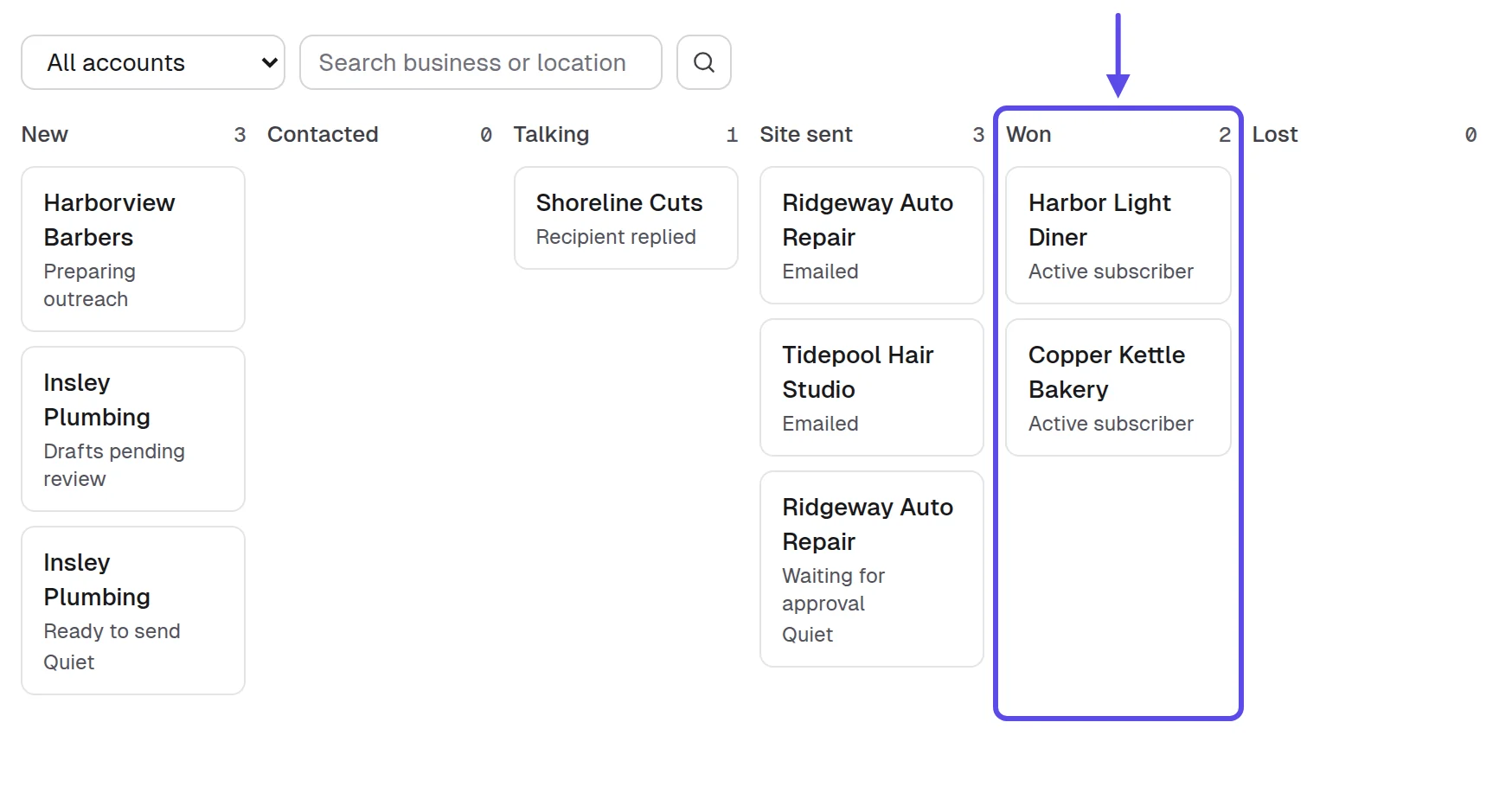
- One row per business, never two
- The channel logged even without a reply
- A follow-up date on every row
- The stage updated after every answer
- One look at the whole list every week
It worked when, for each business type, you can say which channel brought the replies. And no owner got the same first message twice from you, by email, text or any other channel.
Tip
Review the list on the same day every week. A channel you never check is a channel you keep using out of habit.
Which channel works when an owner already has a website?
An email to the address on their own website, followed by a visit, works best here. The owner already believes in having a website and reads mail at the desk. But moving from an old website to a new one can feel like a careful goodbye to something they once paid for. So say what stays theirs in one line: "Your words, your photos and your domain stay yours, and you connect the domain in your own login." Then visit once they've had time to read the email, and show the new website on your phone next to the old one.
By hand, paste the old site's address into the Wayback Machine and read its calendar to see how long the site has looked the same. Then run it through PageSpeed Insights and open the Mobile tab. Put one plain sentence about what you found in the email. Never make a claim the owner can't check.
Which places should you skip?
Skip freelance marketplaces where strangers bid, bought email lists, the same message sent to a whole list, chains and franchises, and calls at the busiest hour. Each one spends your time on owners who can't see their own website or can't decide.
- Freelance marketplaces, where strangers compare bids and never see a finished website first
- Bought email lists, where you can't say how you found the business
- One message sent to a whole list; owners can tell it isn't for them
- Chains and franchises, because head office decides, not the person behind the counter
- Calls and visits at the busiest hour, when nobody has a minute to look
Do this instead. The same hours go further on ten businesses of one type in your own town, each with a finished website and the channel its gap suits. You'll learn that type's day, its owners' questions and which channel they answer.
How can you tell which channel gets replies and approvals?
It's working when a channel keeps bringing in replies, looks, approvals, referrals and its days to a yes get shorter over time. Count each of these for each channel, in the Pipeline or a sheet. There are no figures or targets to hit here. Each line below says what to change when one is weak.

- Replies per channel: if a channel gets none after ten businesses, change its first message once before you drop it
- Replies that become a look: if they stay low, send the link sooner or switch to a video
- Approvals after a look: if owners look and say no, change how you show the website, not the channel
- Requests from your storefront: if none come, put its link in every sign-off, card and video message
- Referrals per client: if none come, ask a week after the website goes live, for one name only
- Days from first message to approval: if they stretch, book a ten-minute call instead of waiting for a reply
Compare channels after ten businesses on each, not after one. A single owner's silence tells you little. Drop a channel only after you've changed its message once and tried it again. When you need more businesses to put through these channels, our guide on where to find web design clients has eight places to look.
Frequently asked questions
What platforms can I sell websites on?
You can sell websites on the channels where local owners already are: your storefront, a walk-in, email, text, a message on their social page, a phone call, a short video and referrals. Website marketplaces are for selling websites you own, which is a different business. Pick the channel by the gap you found.
Can I sell websites on a freelance marketplace?
Yes, you can, but it's a different sale: strangers post a job and compare bids. With a local owner, you bring a finished website to them first, and they judge the website, not a bid. That's why this guide starts with the owner and the gap you found, not with a job post.
Do I need my own website to sell websites?
No, a storefront page with your name, your town and a way to ask does the job in place of a full website of your own. What an owner checks is that you're real and local, and one clear page with your full name, your business name and your town shows them both.
Is it legal to email or text local businesses about a website?
Email, yes: in the US, the CAN-SPAM Act allows commercial email that includes your valid physical postal address and a clear way to opt out, with opt-out requests honored within 10 business days. Texting can be allowed too, but it depends on your state's rules, so check them before you send. This isn't legal advice, and other countries have their own rules. 2
Which channel should I start with?
Start with the walk-in if you can visit businesses near you, and with email for businesses that have an outdated website. Those two cover the owners who need to see a website in person and the ones who read mail at the desk. Then add the channel the table pairs with each gap.
Do I need a business license to sell websites?
It depends on where you are and what you do. The SBA's guide to licenses and permits says the requirements and fees vary with your business activities, your location and the government's rules. A business name that isn't your own may need registering as a DBA with the state, county or city, so check before your first sale. 3
How many channels should I use at once?
Start with one channel plus the walk-in, so you can learn each one before you add more. Add the next channel once ten businesses have heard from you on the first, so your list shows what each channel did on its own.
Sources
- Ironstone, Lead finder’s searches and results for partners (our own accounts left out), October 8 to November 17, 2026, from our own records read November 20, 2026
- Federal Trade Commission, CAN-SPAM Act: A Compliance Guide for Business
- US Small Business Administration, “Apply for licenses and permits” (business guide)
- Pew Research Center, “Social Media Fact Sheet” (survey of US adults, January 30 to June 18, 2026; October 19, 2026)
- Clutch, “The Small Business Growth Playbook for 2025” (Clutch and Drive Research, a survey of 500 small and midsize business decision-makers)
- Clutch, “83% of small businesses now have a website” (press release, August 21, 2025)