 Ironstone
Approval and payment
When the business says yes, send the approval link. Paying through it is their approval of the website they saw, and we keep a record of it.
The approval link
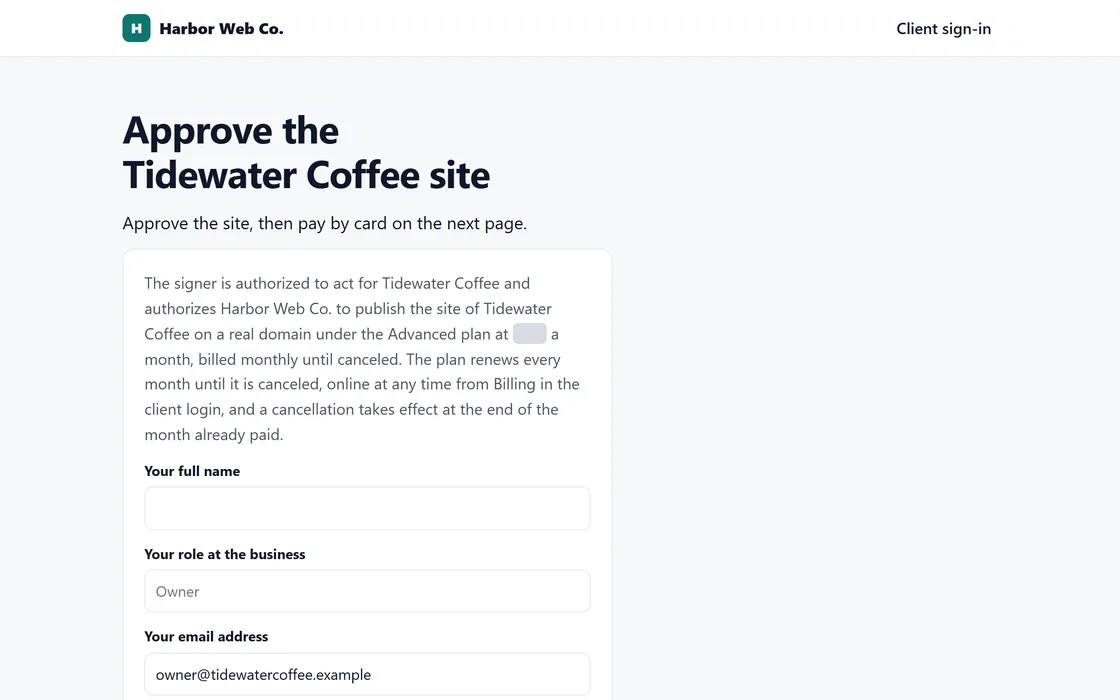
- After you press They said yes, copy the link under Send approval link on the website's page.
- Send it by text or email, with the message written for you.
- With your payouts connected, the link opens a secure card payment page at your price. If they aren't connected yet, it opens a short approval form instead.
- When they pay, the website goes live at its address in a few minutes. Then send them the domain steps.
Every approval is saved with the date, the time, and the version of the website they saw.
Changes before approval
- The owner tells you what to change, by email, text, or phone.
- Describe the change in plain words in your account, and the website updates in a few minutes.
After approval, the business can ask for changes with Request a change in their login.
Frequently asked questions
Can a business approve the website before paying?
With your payouts connected, paying is the approval. Before they're connected, the business approves on a short form and pays once you send the link again.
Does the business need an account to approve its website?
No. The link is all they need.
Related guides
Screens and businesses shown are fictional.