 Ironstone
Processing client refunds
Refund any amount up to the original payment within 30 days of a client's first payment. You choose whether their subscription continues.
Steps
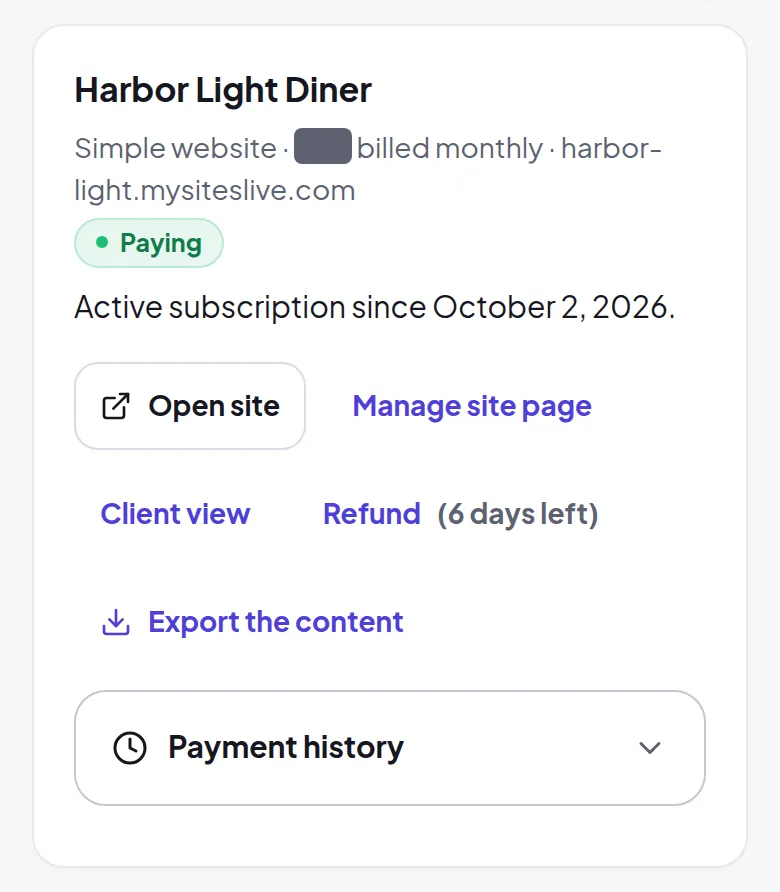
- Open your Clients page. The Refund button appears beside the client for 30 days after their first payment, showing how many days remain.
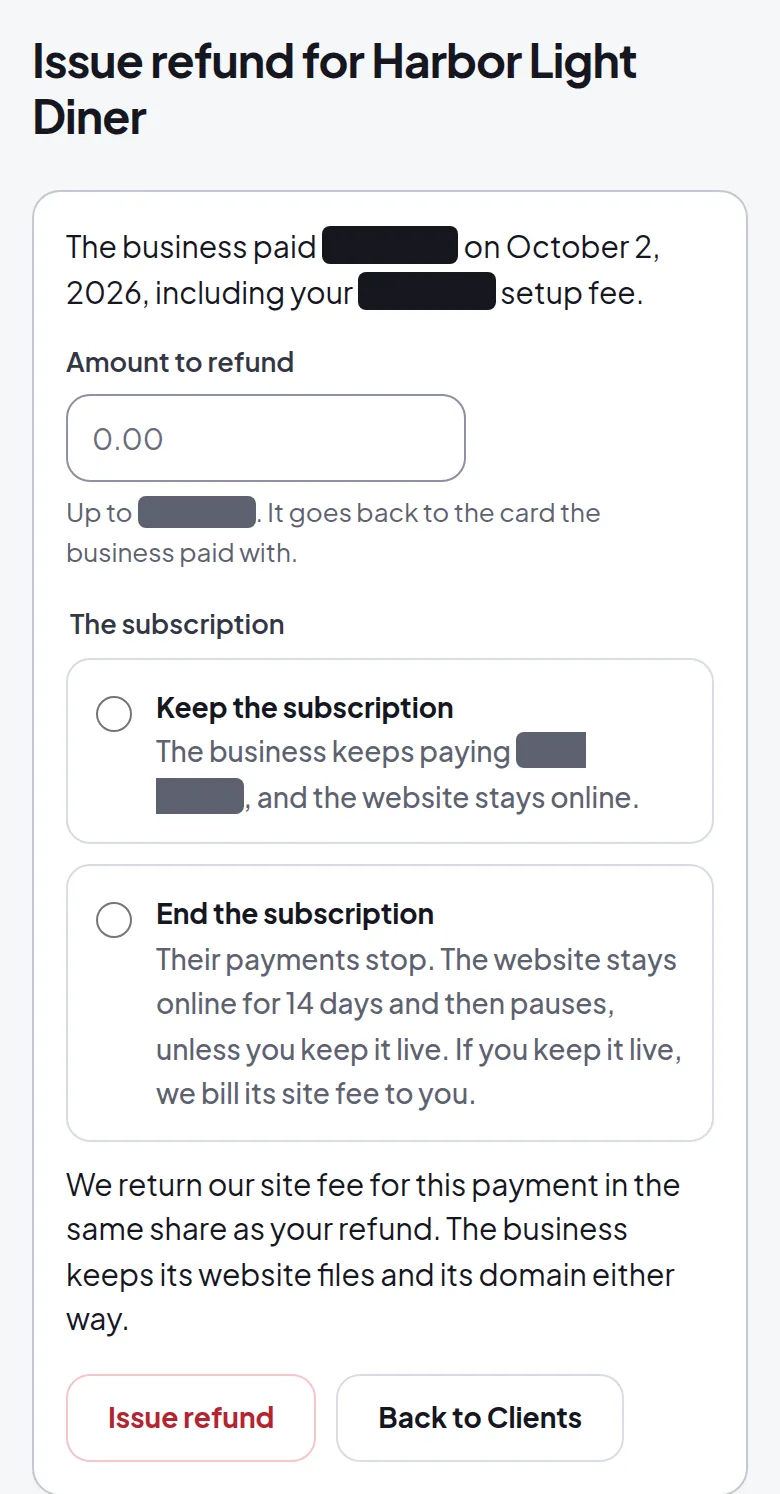
- Enter the refund amount. You can see the original payment, including any setup fee, and how much is left to refund.
- Choose whether the subscription continues or ends, then select Issue refund. We return the money to the business's card and return the same share of our Hosting.
You can issue partial refunds until you reach the full payment amount. The Refund button disappears 30 days after the first payment.
Frequently asked questions
Does my client lose access to the site immediately?
No. If you end the subscription, the website stays online for 14 days before pausing, unless you pay its Hosting to keep it live.
Can I refund part of a payment?
Yes. You can enter any amount up to the original payment. You can issue more refunds during the 30-day window until you reach the full amount.
How are refunds handled after 30 days?
You handle any refunds directly with your client after 30 days.
Related guides
Screens and businesses shown are fictional.