 Ironstone
Find local businesses
Search for a business type in a town to find businesses without a modern website.
Search Local Area
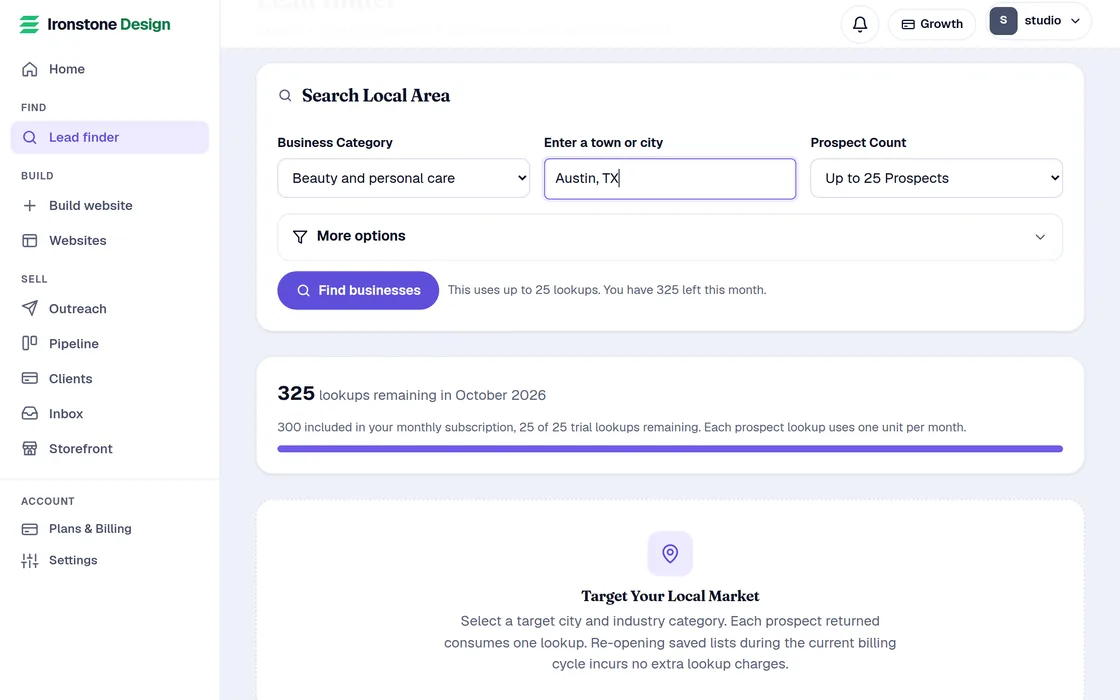
- Open Lead finder from the menu.
- Enter a business type. You can select a suggestion or type your own description.
- Enter a city or town with its state or province, like Austin, TX. You can also enter a ZIP code or postal code. Lead finder searches for businesses in the United States and Canada. Select Find businesses.
- The text below the button shows how many of your leads the search can use.
You use one lead for each new business that needs a website. Businesses you found before and ones with a good website cost nothing.
Review your search results
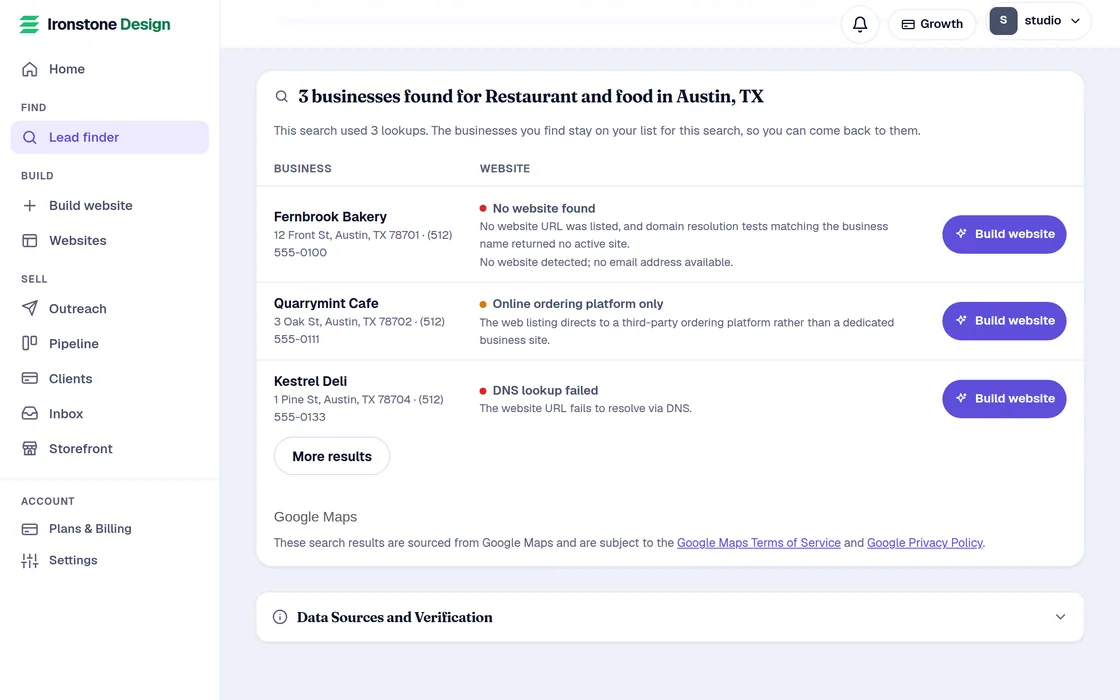
- Each result shows the business's name, its business type, and its town.
- Your search results appear right away. The status updates as we check each website.
- The Website column names what the check found: No website found, Delivery page only, Social listing only, Website won't open, Security issue, Domain parked or Outdated website.
- The line under it is something you can mention to the owner.
- Businesses with a good website appear below your main list. Businesses you found in earlier searches sit underneath them.
- Press Build website next to any business, check its details, and we build the website.
You can load more results to see the next page. It uses leads the same way.
Export your call sheet
- When search results use public records, found businesses are added to your call list below the results table.
- Press Call sheet above the list to download it as a spreadsheet file.
- The file has eight columns: Business name, Category, City, State / Province, Website status, Website details, Source and Date checked.
You can export your list for zero leads. It includes businesses you found in your current billing cycle.
Frequently asked questions
Why are there so few results?
We leave out chain stores and closed listings. Businesses with a good website stay hidden below your list. You can search a nearby town or another business type.
How many leads do I have?
Lead finder shows your remaining leads from your plan and packs. It shows the maximum leads a search can use before you run it.
Can I keep the results?
Generate sites for target accounts while viewing active results. Where available, call sheets can be exported directly to local storage.
Related guides
Screens and businesses shown are fictional.