 Ironstone
Client text editor
Choose client editing options: you manage updates, clients edit directly, or client edits wait for your approval.
Select client editing permissions
- Select the site from your dashboard.
- Open Client edits on the website's page and pick an option. It saves by itself.
- Permissions can be updated at any time and set individually for each client.
New clients start on the option you picked under Storefront, Client editing. Unless you change it, that's You manage the website.
You manage the website
- Your client signs in on your storefront and opens Request a change.
- They describe the requested modifications and attach relevant images if available.
- The request appears on the site's management page in your partner dashboard, allowing you to implement the requested updates.
Request a change works with all three options, so businesses can ask for updates anytime.
The business edits the website
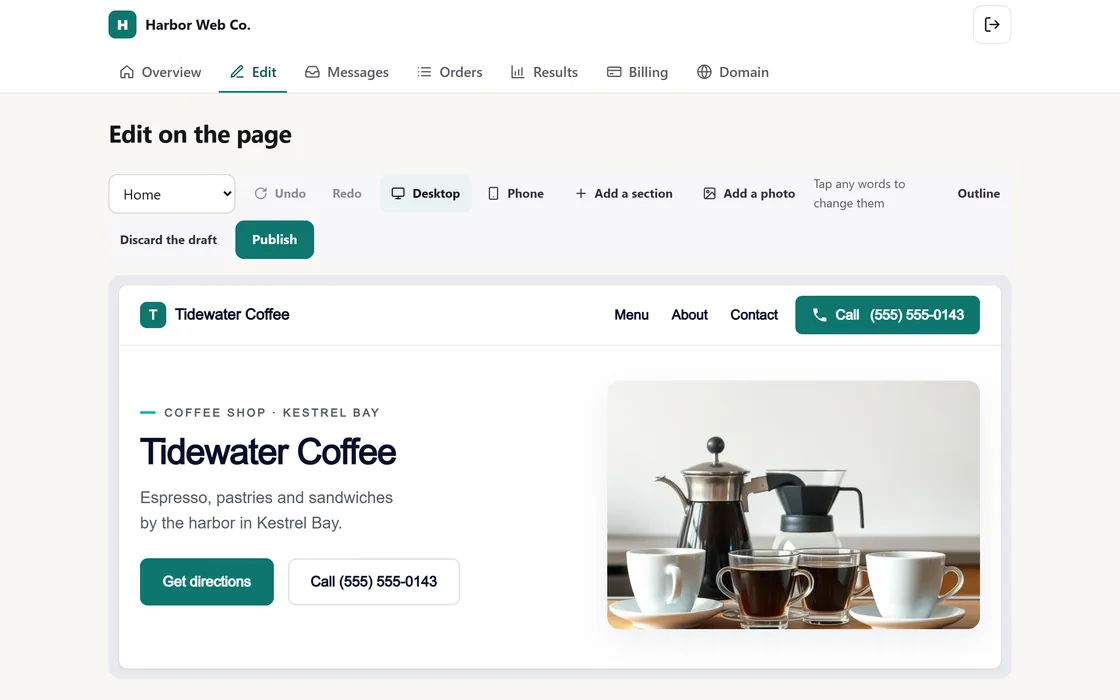
- Your client signs in on your storefront and opens the live site editor.
- They select any text block to edit content directly or click an image to upload a replacement.
- Clients can also use built-in AI tools to rewrite section text into clear copy.
- Updates publish live within minutes, triggering an in-app notification for you while logging the user responsible in the site's History.
You can undo a client's change in one tap from History. Word and photo changes are included, and AI rewrites use credits from your plan. The website's design stays as you built it.
You approve edits before they go live
- Your client makes text changes on the page, saving them for your review and approval.
- The site management view in your partner dashboard alerts you when pending modifications require review; click Look at them to inspect changes directly on the page.
- Click Approve and publish to publish the updates live within minutes, or reject them while providing optional feedback notes for your client.
Because new photos, logos, and AI text publish right away, clients using this option ask for those changes using Request a change.
Frequently asked questions
Revert accidental client edits
Restore any previous site version instantly with a single click.
AI rewrite quota exhausted
Text rewrites use AI credits from your monthly plan. Extra credit packs roll over and stay valid for 12 months.
Related guides
Screens and businesses shown are fictional.