 Ironstone
Choose a plan
Your first paid plan starts with a 14-day trial with a card on file. The pricing page lists each plan and its price.
Selecting a plan
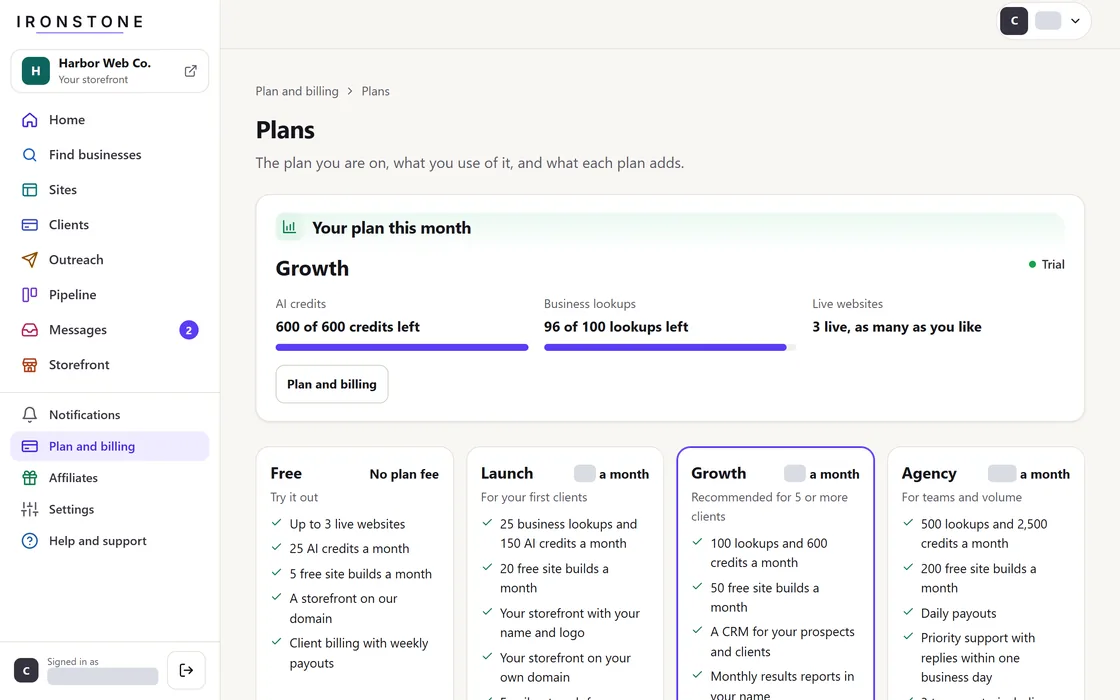
- Open Plans & Billing from the menu and choose a plan.
- Review the total cost, billing frequency, trial expiration date, and scheduled first payment date.
- Check the terms box and proceed to checkout.
- Enter your payment card details to start your 14-day trial.
We email you a reminder 7 days before the first charge.
Modify plan
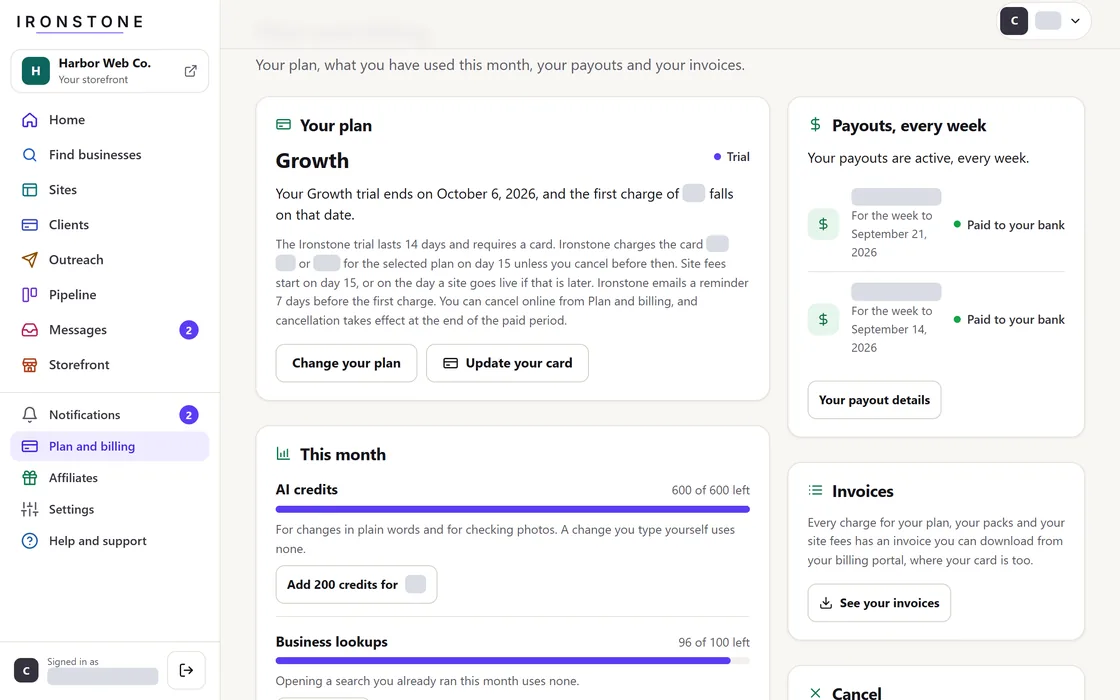
- Open Plans & Billing to pick a different plan.
- Plan upgrades take effect immediately.
- Plan downgrades become effective at the start of the next billing cycle.
Plans & Billing shows your plan and the date of your next charge.
Frequently asked questions
When will my account be charged for the first time?
On the day your 14-day trial ends, unless you cancel before then. The review screen shows the date.
Why was my credit card declined during checkout?
Card declines show right away at checkout. Try a different card or contact your bank to approve the payment.
Related guides
Screens and businesses shown are fictional.